An integrated, intelligent web chat tool for SugarAI. Embed this chat tool into your website and manage your conversations directly from SugarCRM. See your web visitors, web visit history, and chat history as you are working with a visitor.
Documentation
Overview
IQ For Sugar is live chat for your website, run from inside Sugar. It is made of two parts: the SugarIQ Chat console, which runs inside SugarCRM, and a one-line script on your website that shows the chat window to your visitors. Nothing else to sign up for, and no second tool to keep open.
What you can do
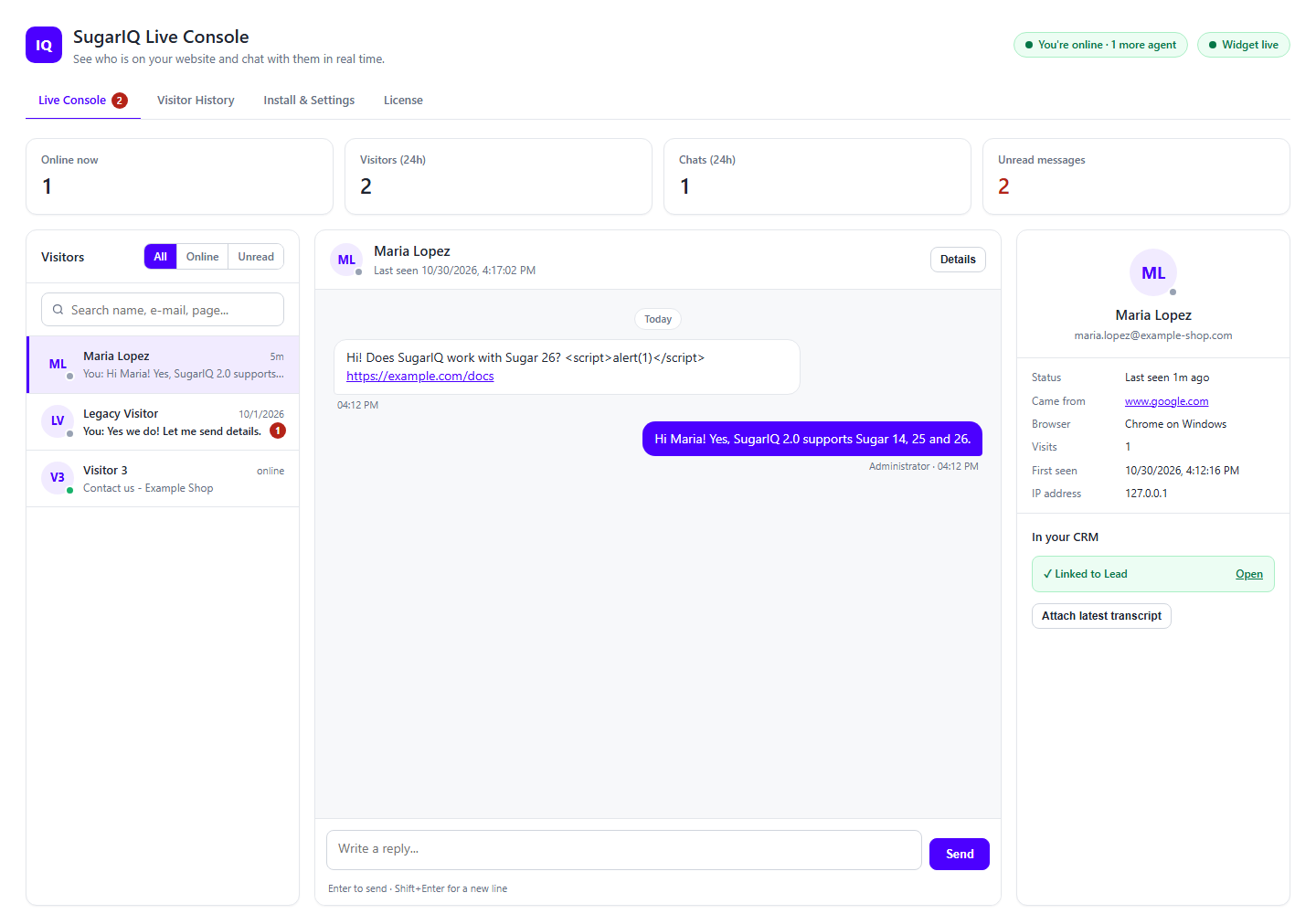
- See who is on your website right now: name, location, current page, where they came from, browser and how many times they have visited.
- Chat from inside Sugar, with a ring and a desktop alert on every new message, even when the console is in the background.
- Create a Lead, Contact or Target from a chat in one click, or link the visitor to an existing record found by e-mail, with the transcript saved as a Note.
- Search visitors and past conversations, and jump to the CRM record.
- Send canned messages, with variables filled in from the visitor details.
- Watch visitor and chat volumes as bar charts.
New in 2.0
Built for Sugar 26, 25 and 14, with a redesigned console, a new mobile-friendly chat window, Add to CRM, offline e-mail alerts and stronger security. Existing chats are kept when you upgrade from 1.x: install 2.0 over your current version in Module Loader, do not uninstall 1.x first, and websites with the old snippet keep working.
Getting started
- Installation Guide - install the package and enter your license key.
- SugarIQ Configuration - copy the snippet, set your title, colour and offline message.
- Visitors Online - the live console and how to reply.
- Visitor History and Chat History - everyone who came and everything that was said.
- Canned Message and Graphical Representation Reports.
Need a hand? Contact support or see Partner Info.
 Saving Comment...