

An integrated, intelligent web chat tool for SugarAI. Embed this chat tool into your website and manage your conversations directly from SugarCRM. See your web visitors, web visit history, and chat history as you are working with a visitor.
IQ For Sugar: Live Chat for SugarAI
Talk to the people on your website from inside Sugar, see who they are and what they are looking at, and turn every good conversation into a Lead, Contact or Target in one click.
- See who is on your website right now: name, location, current page, where they came from, browser and how many times they have visited.
- Chat from inside Sugar: no extra tab or tool. New messages ring and pop up a desktop alert, even when the console is in the background.
- Turn chats into CRM records: create a Lead, Contact or Target from the chat, or link the visitor to an existing record found by e-mail. The full transcript is saved as a Note.
- One line to install: paste one script tag on your website. It works on any site (WordPress, Shopify, Wix, custom), loads in the background and never clashes with your site's design.
New in 2.0: built for Sugar 26, 25 and 14, a redesigned console, a new mobile-friendly chat window, Add to CRM, offline e-mail alerts and stronger security. Existing chats are kept when you upgrade from 1.x.
Features
Live Console
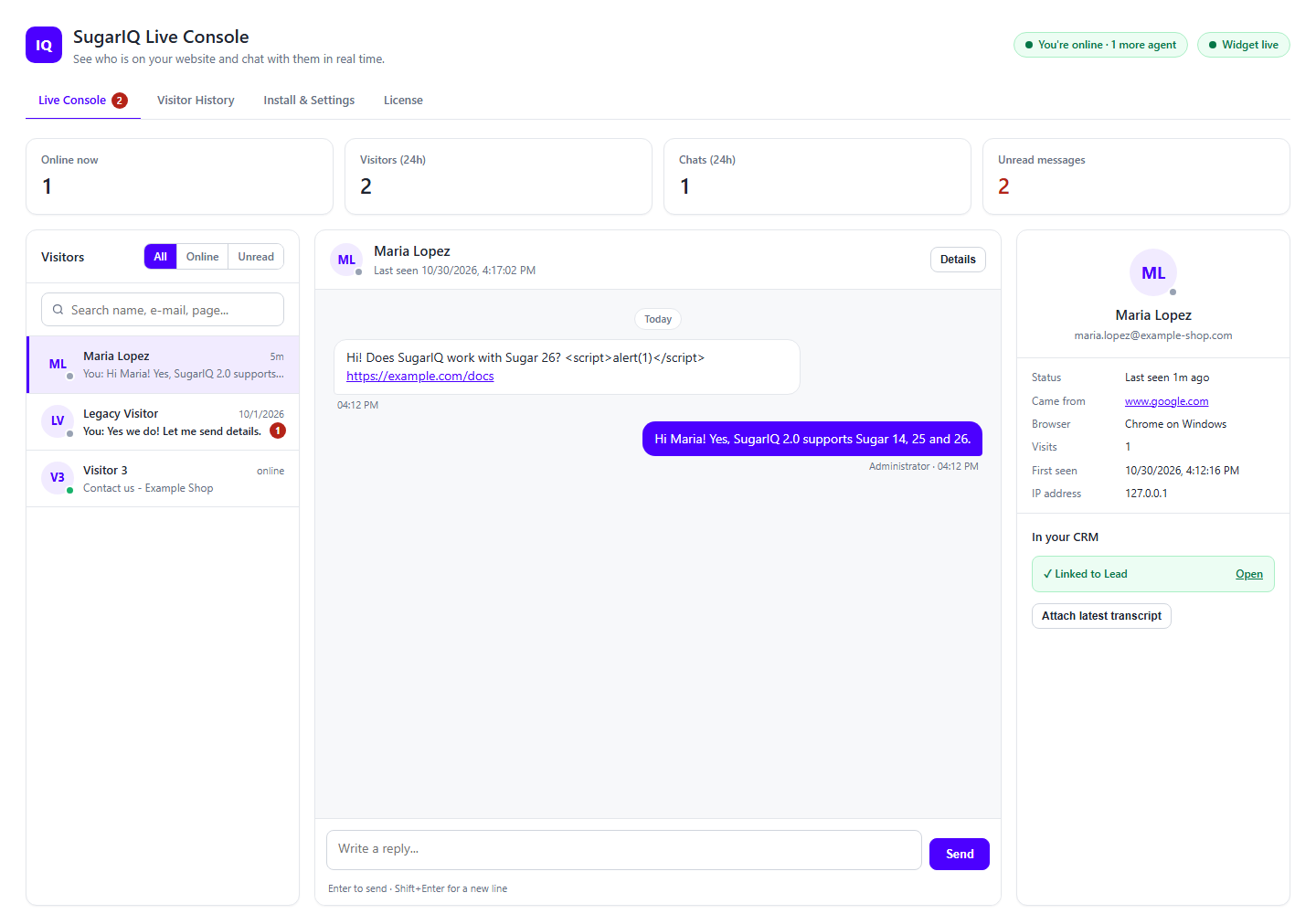
Everyone on your website right now, with unread counts, search and filters. Open a visitor to see the whole conversation and reply with Enter. Visitor details sit right beside the chat.
Chat window for your website
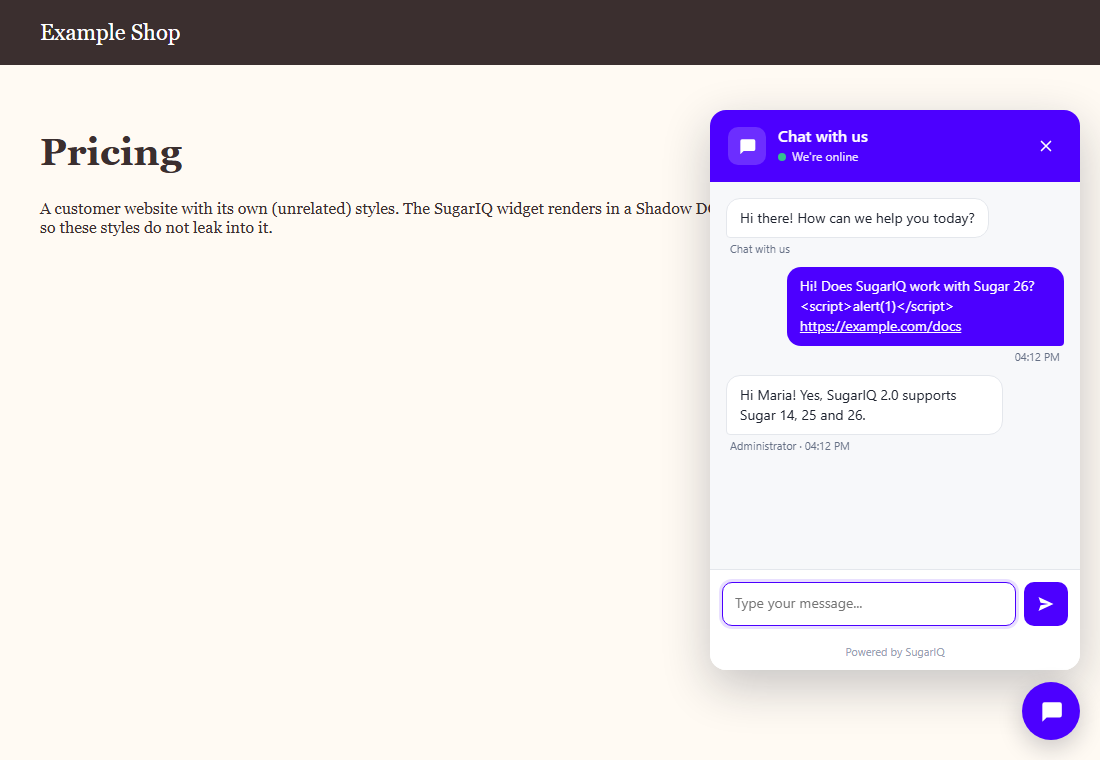
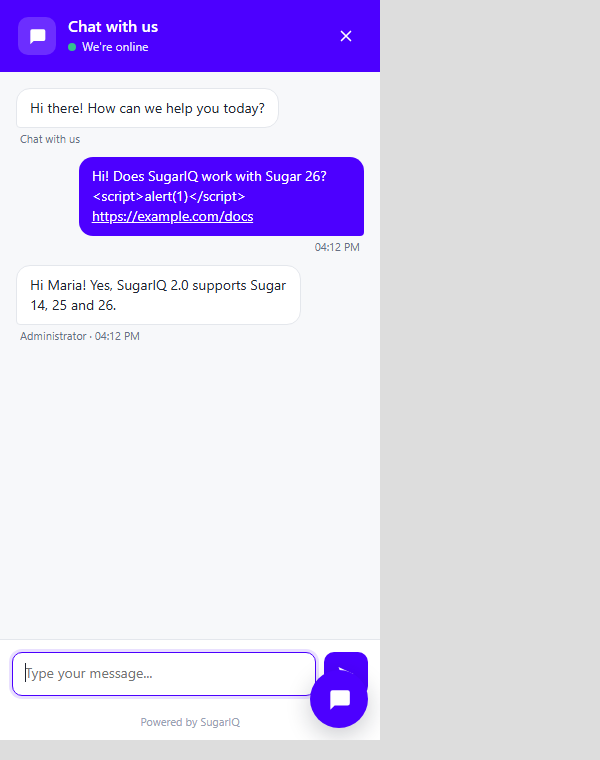
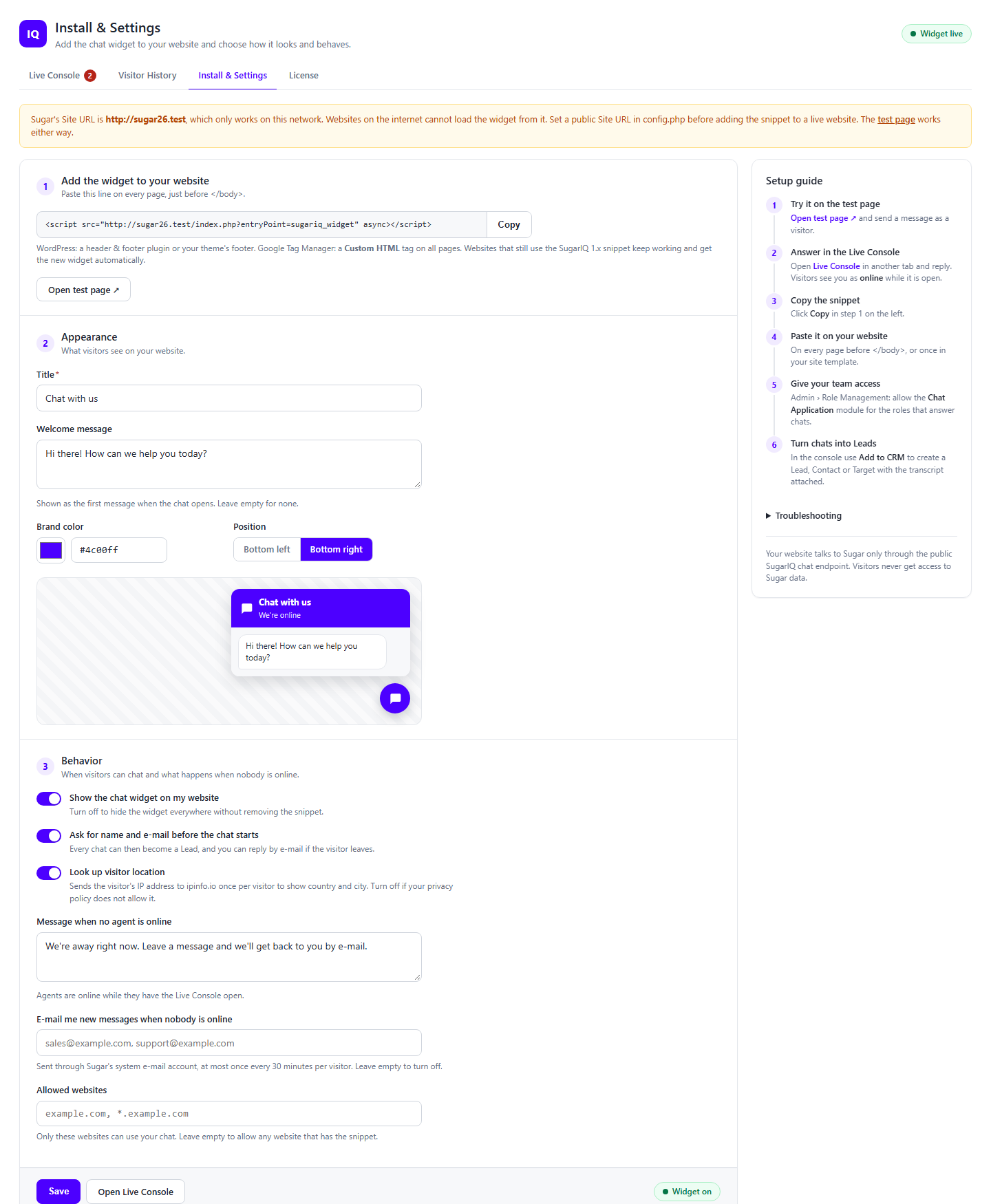
A clean, fast chat button in your brand color. Visitors see "We're online" while an agent has the console open, and your own offline message when nobody is. You can ask for name and e-mail before the chat starts. On phones the chat opens full-screen.
Add to CRM
Create a Lead, Contact or Target from a chat in one click, with name and e-mail already filled in. If the visitor's e-mail already exists in Sugar, SugarIQ offers to link the chat to that record instead of creating a duplicate. The transcript is attached as a Note.
Visitor and chat history
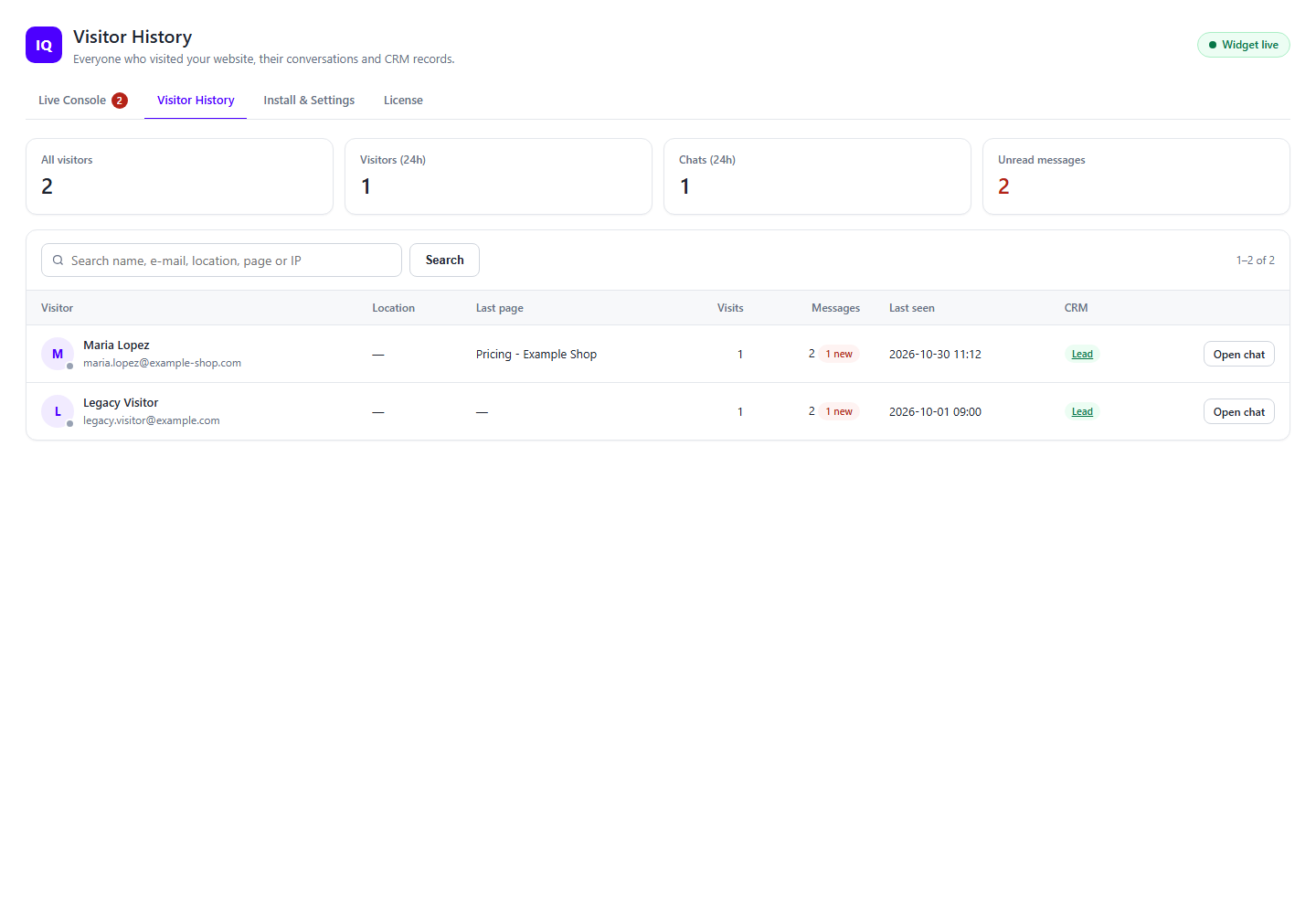
Every visitor and every past conversation, searchable and paged, with links to their CRM record.
Easy setup, your look
Copy the snippet, choose your title, welcome message, color and button position, and watch a live preview as you type. Choose which websites may use your chat, and get an e-mail when someone writes while your team is offline.
How it Works
- Install IQ For Sugar with Module Loader and enter your license key.
- Open Admin › SugarIQ Live Chat › Install & Settings, copy the one-line snippet and paste it on your website before ``.
- Open SugarIQ Chat in the Sugar navigation bar. When a visitor writes, you hear it, see it and reply right there.
- Give your team access with a Sugar role. Only admins can change settings.
Requirements
- SugarCRM 14, 25 or 26 (Professional, Corporate, Enterprise, Ultimate). Passes Sugar's package scanner, so it can be installed on SugarCloud.
- Your Sugar site URL must be reachable from the internet, and use HTTPS if your website does.
- No other account or service is needed.
Upgrading from 1.x
Install 2.0 over your current version in Module Loader. Do not uninstall 1.x first. Your visitors and chats are moved over automatically, and websites with the old snippet keep working.


