An integrated, intelligent web chat tool for SugarAI. Embed this chat tool into your website and manage your conversations directly from SugarCRM. See your web visitors, web visit history, and chat history as you are working with a visitor.
Visitors Online
Visitors Online: the Live Console
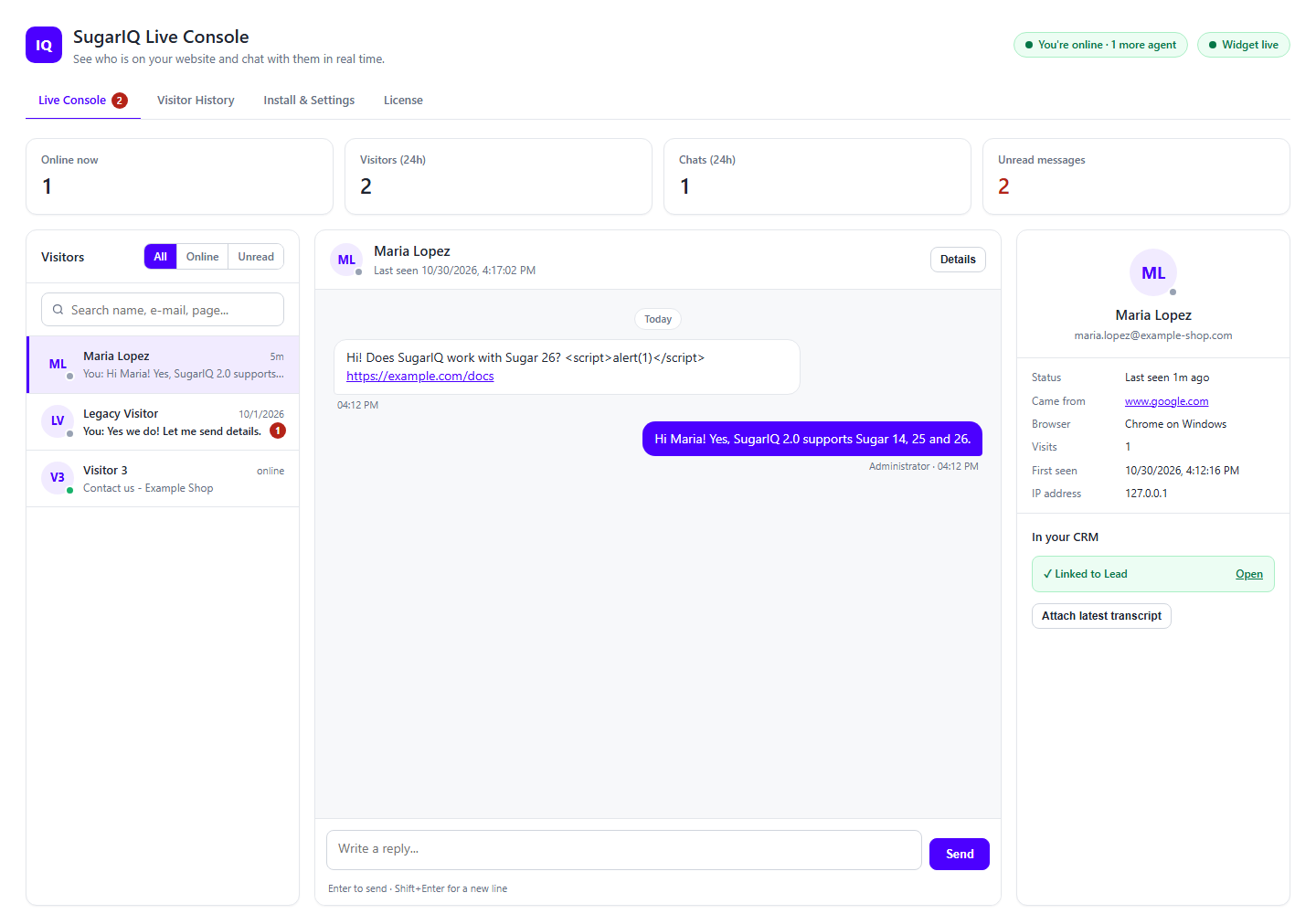
Open SugarIQ Chat in the Sugar navigation bar to see everyone on your website right now, with unread counts, search and filters.
What you see about a visitor
- Name and location
- The page they are on and where they came from
- Browser
- How many times they have visited
Visitor details sit right beside the chat, so you know who you are talking to before you answer.
Replying
Open a visitor to see the whole conversation and reply with Enter. New messages ring and pop up a desktop alert, even when the console is in the background, so you can keep working in Sugar and still catch a question.
Canned messages
Click a canned message to drop its text straight into the reply box, then send it with Enter.
Add to CRM
Create a Lead, Contact or Target from the chat in one click, with name and e-mail already filled in. If the e-mail already exists in Sugar, IQ For Sugar offers to link the chat to that record instead of creating a duplicate. The transcript is attached as a Note.
What the visitor sees
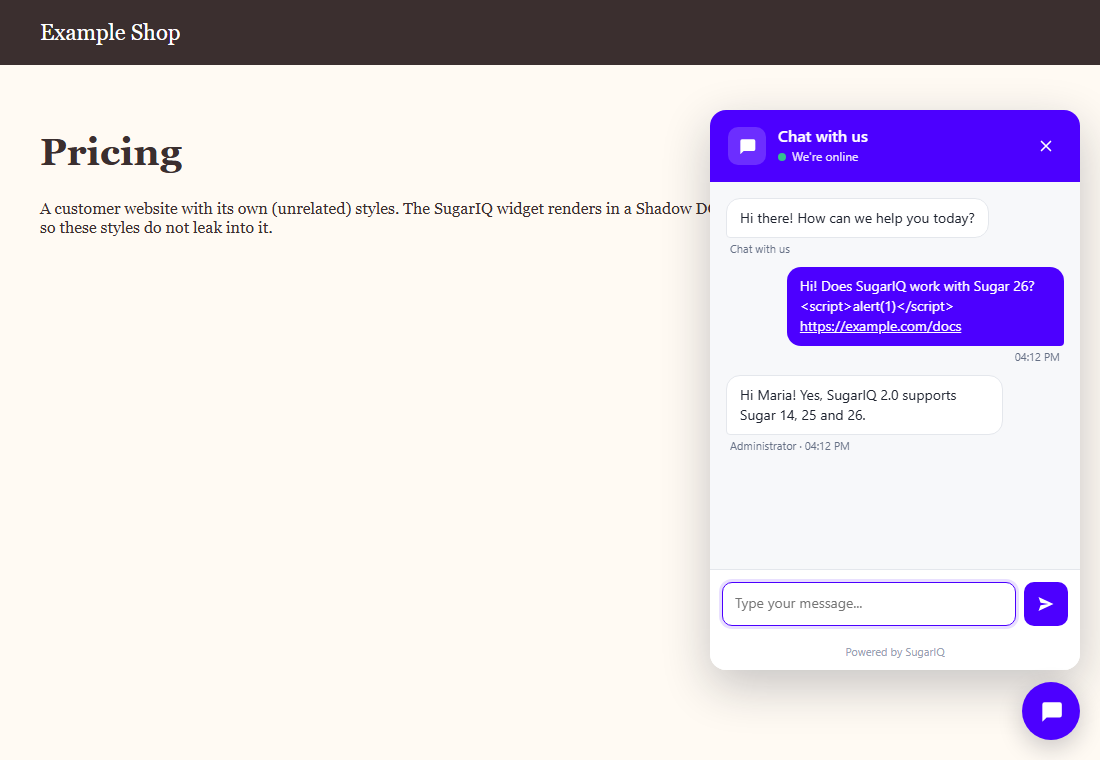
A clean, fast chat button in your brand colour, full-screen on phones.
 Saving Comment...