

The SugarAI ESG addon provides a collection of modules for organizing and reporting sustainability data, turning ESG data disclosure into a transparent and audit-ready process for companies using SugarAI.
User Guide
KINAMU Business Solutions GmbH
Talpagasse 1A | A-1230 Wien
www.kinamu.com | office@kinamu.com | Tel: +43 1 306 20-0
KINAMU ESG Addon
for collecting and administering ESG-related data in SugarAI
Vienna, May 2026
Version 1.0
Modules Overview
Emission Sources
The Emission Sources module stores materials, products and activities with their respective emission ratios. The data can also be binded to Sugar product catalogue, allowing automatic emission administration of product sales.
Environmental Impacts
The Emission Sources module stores emission entries based on the data of the Emission Sources module. The entries can originate from manual input, as well as from product purchases and sales.
Stakeholders
The Stakeholders module provides a unified registry of all persons involved in ESG processes. A stakeholder can be a Sugar User, an Employee, or a Contact.
Fleet
The Fleet module stores the data and emission information of the company fleet vehicles, as well as the persons using the vehicles. By using the module, the collection of emission data related to the company vehicle fleet can be automated.
Employee Environmental Impacts
The Employee Environmental Impacts module automatically collects and provides vehicle emission data based on the company fleet and its usage data.
Policies
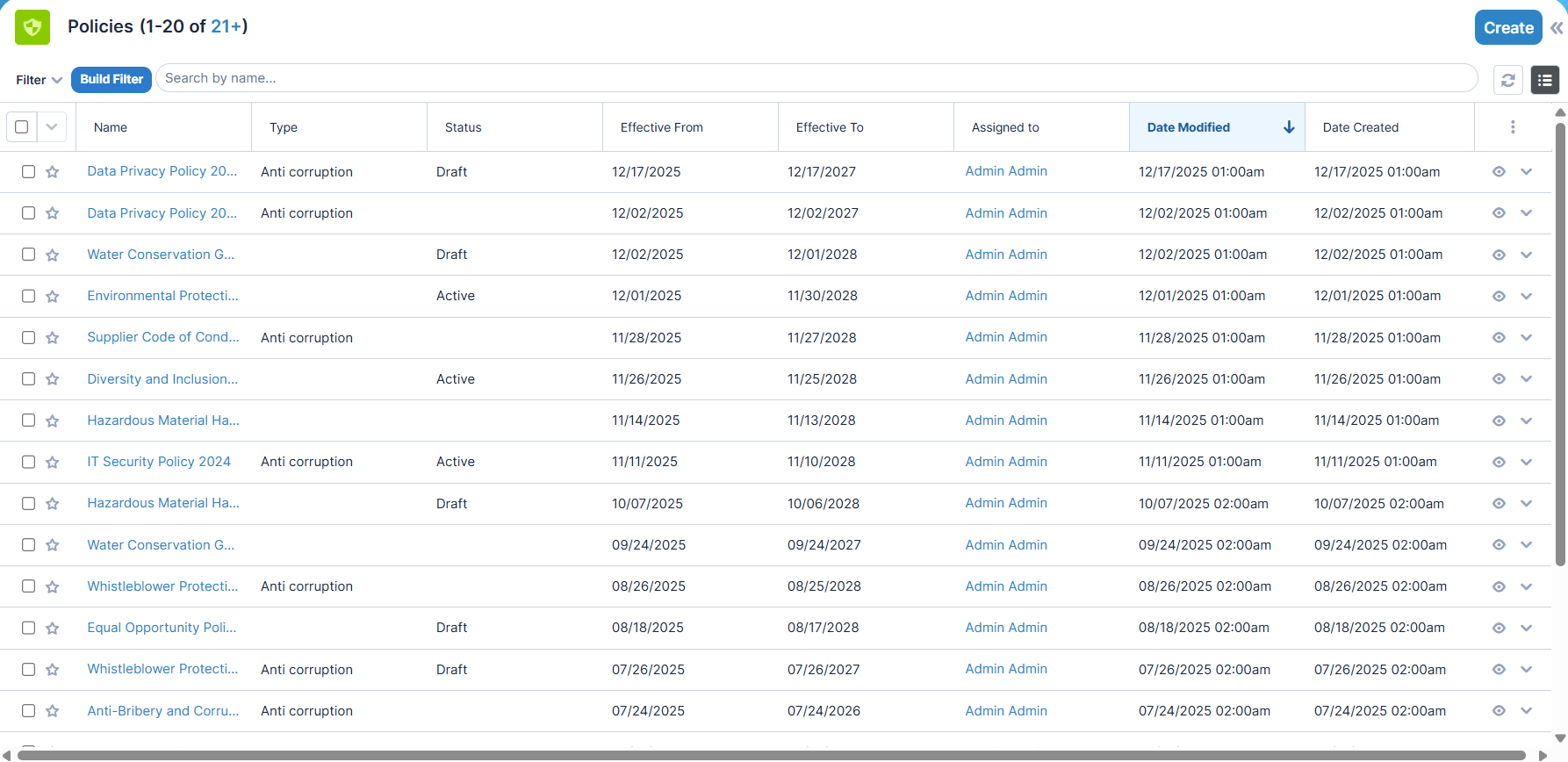
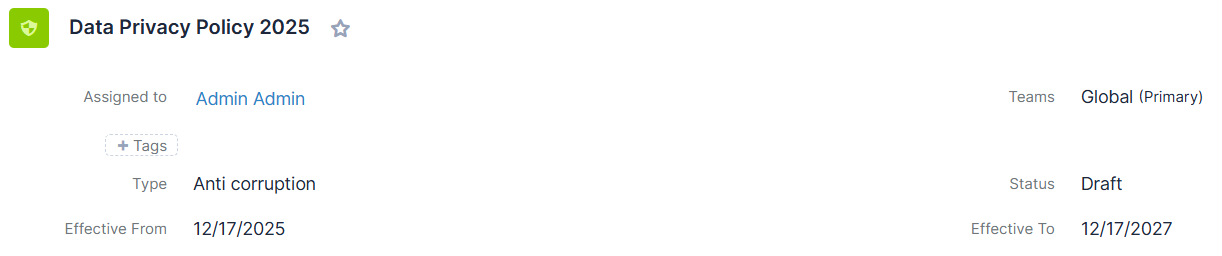
The Policies module enables the management of regulations related to the ESG domain. The data can be linked to trainings and incidents, making the relevant relationships easy to review and allowing them to be measured and reported in the form of KPIs.
Training Records
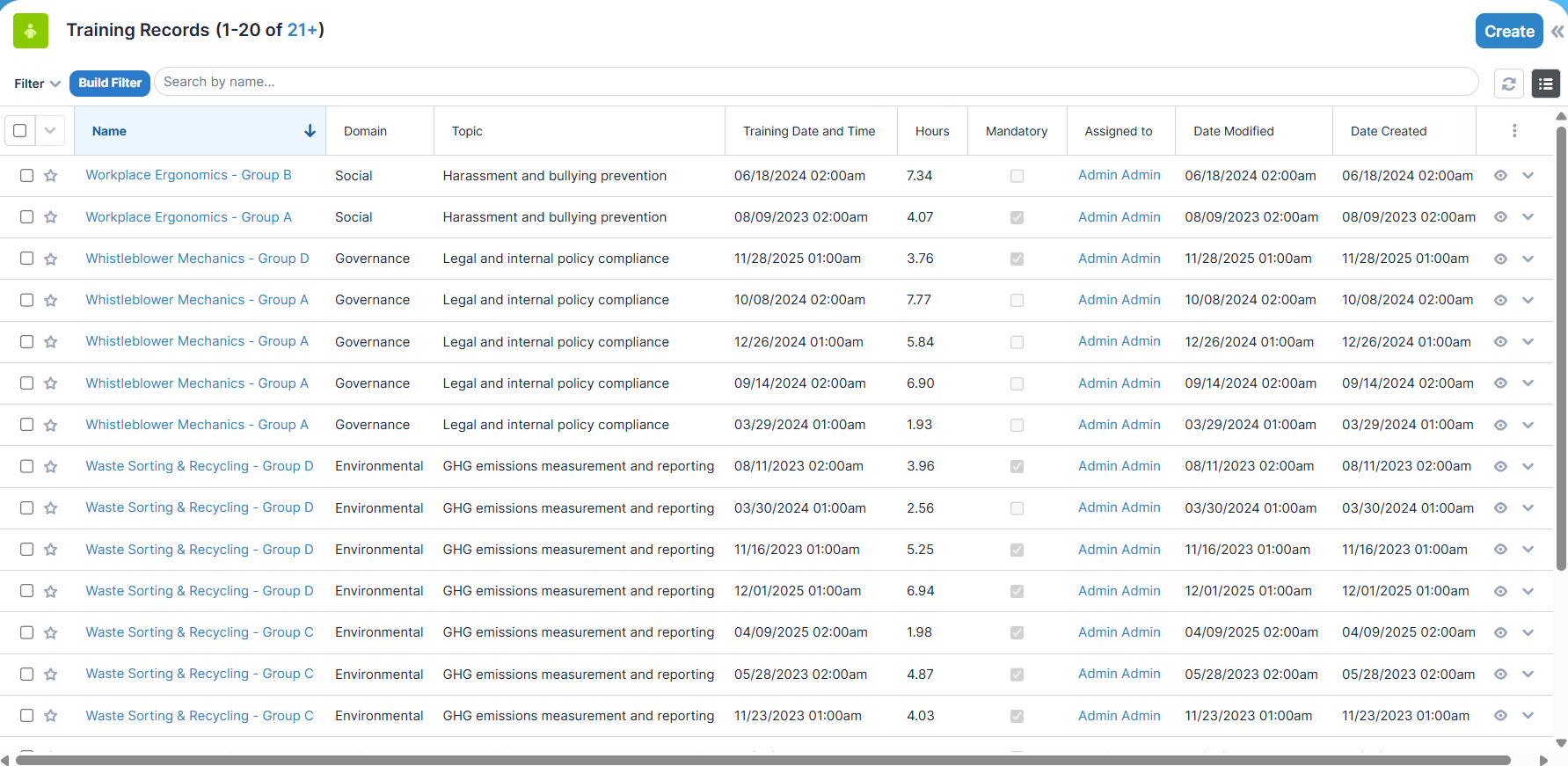
The Training Records module stores data related to trainings associated with incidents and corporate policies. The relationships can be used to generate and report ESG-specific KPIs.
Incidents
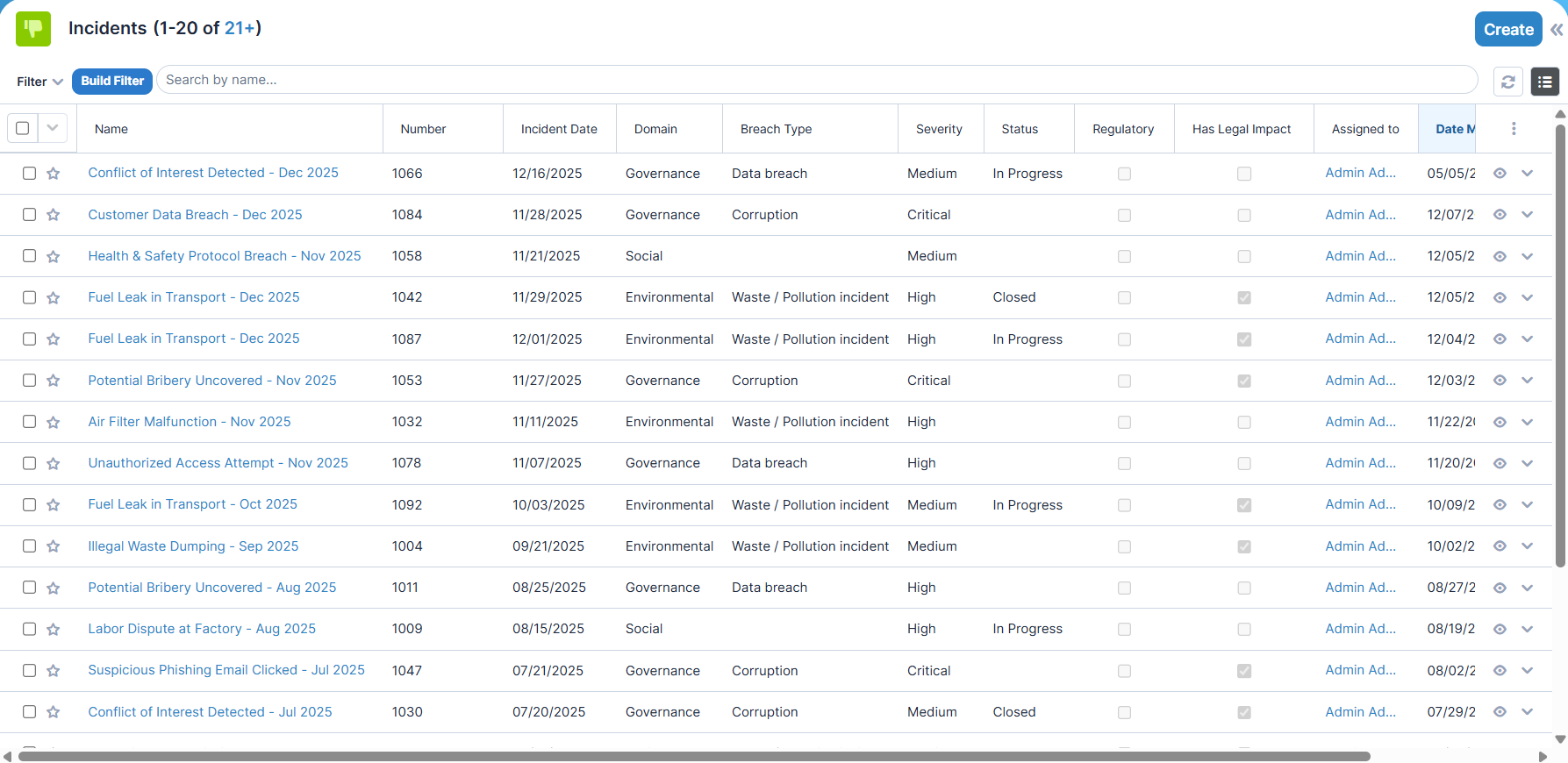
The Incidents module records ESG administration incidents and serves as a central element working together with the Policies, Training Records, and CAPA Actions modules, providing complex metrics for ESRS reporting.
CAPA Actions
The CAPA Actions module — in close cooperation with the Incidents module — manages corrective and preventive actions. In collaboration with the related modules, it enables the creation of relevant metrics.
Assessments
The Assessment module enables the creation of questionnaires related to ESG processes and the collection of responses to the questions. Completion and storage of the responses can take place online within the Sugar system, while printable versions of the questionnaires can also be easily generated using the DocMerge service.
Accounting
Although the primary objective of the add-on is the ESRS reporting-oriented processing of data stored within the Sugar system, it is also possible to store certain key accounting and personnel metrics. These can be provided to the add-on through the Accounting module, thereby enabling the creation of even more comprehensive reports.
KPIs
The KPI modules created separately for the Environmental, Social, and Governance domains automatically and periodically generate ESG-specific metrics based on emission data, personnel master data, and relevant events. These form the foundation of ESRS reports.
Sidebar menu
Given the large number of submodules, the add-on makes all functionality available intuitively under a single main module (“ESG”) in the sidebar, thereby maintaining a clean and transparent Sugar navigation structure.
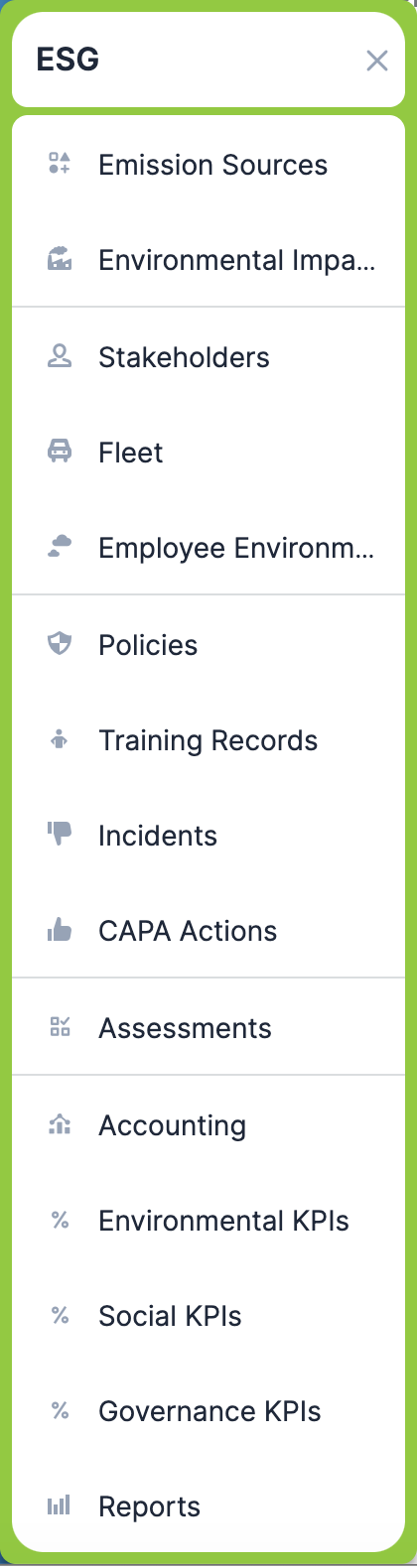
The submodules are grouped into practical clusters based on their functionality:
- Emission Sources | Environmental Impacts
- Stakeholders | Fleet | Employee Environmental Impacts
- Policies | Training Records | Incidents | CAPA Actions
- Assessments
- Accounting | Environmental KPIs | Social KPIs | Governance KPIs | Reports
When opening each module, the standard Sugar experience applies, with quick links available for create, list view, and import functions.
Modules Detailed
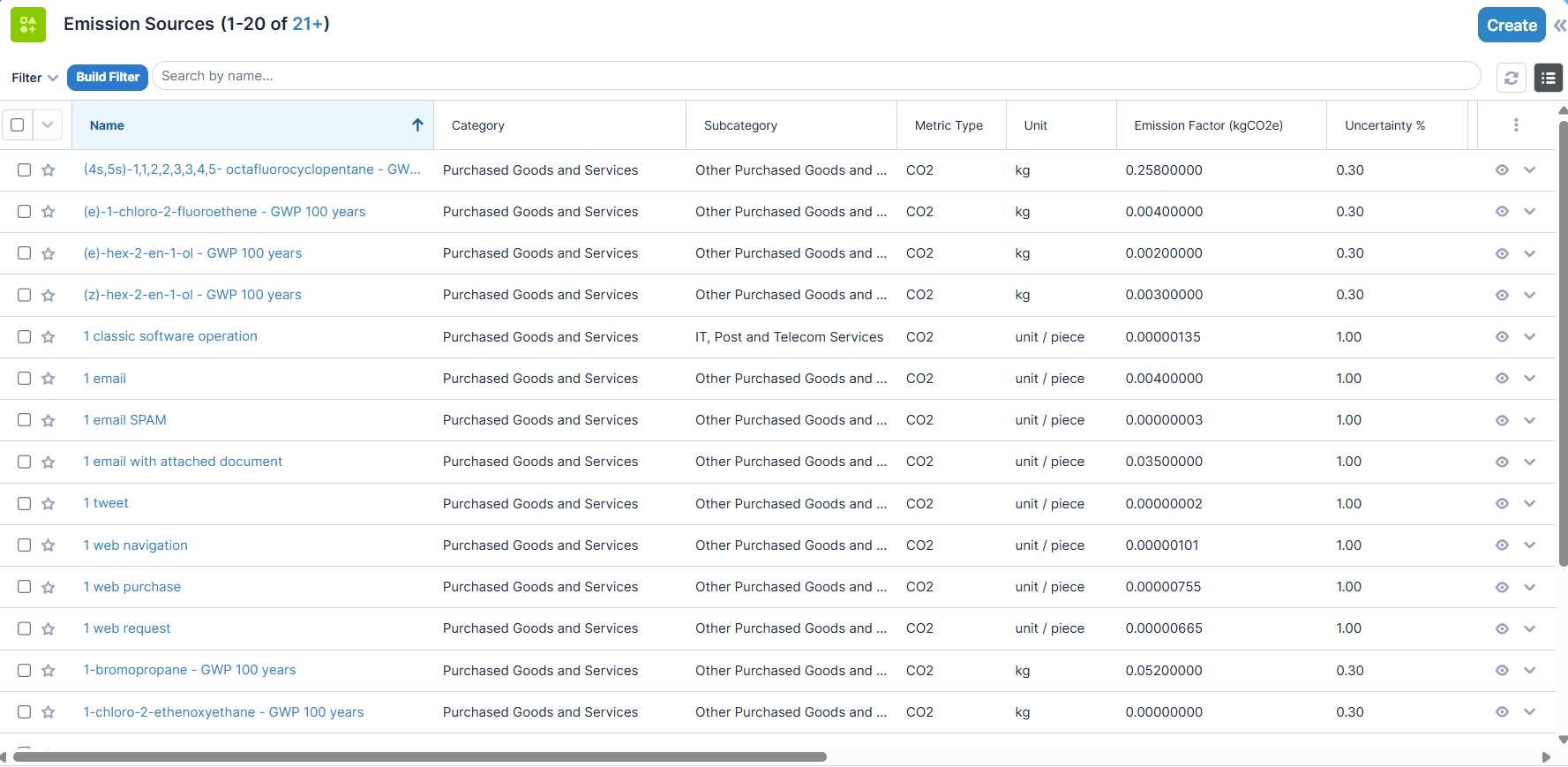
Emission Sources
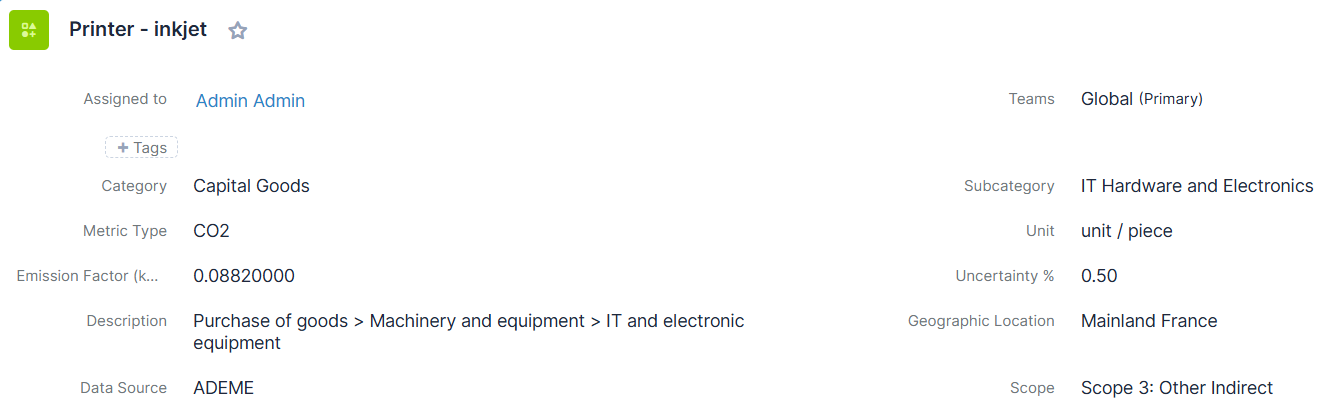
Module-specific data
- Category
- Subcategory
- Metric Type
- Unit
- Emission Factor (kgCO2)
- Uncertainity %
- Description
- Geographic Location
- Data Source
- Scope - The Default Scope
Related modules and relations in subpanels
- Environmental Impacts
- Product Templates (Sugar Core Module)
Appearance
List View
Record View
Environmental Impacts
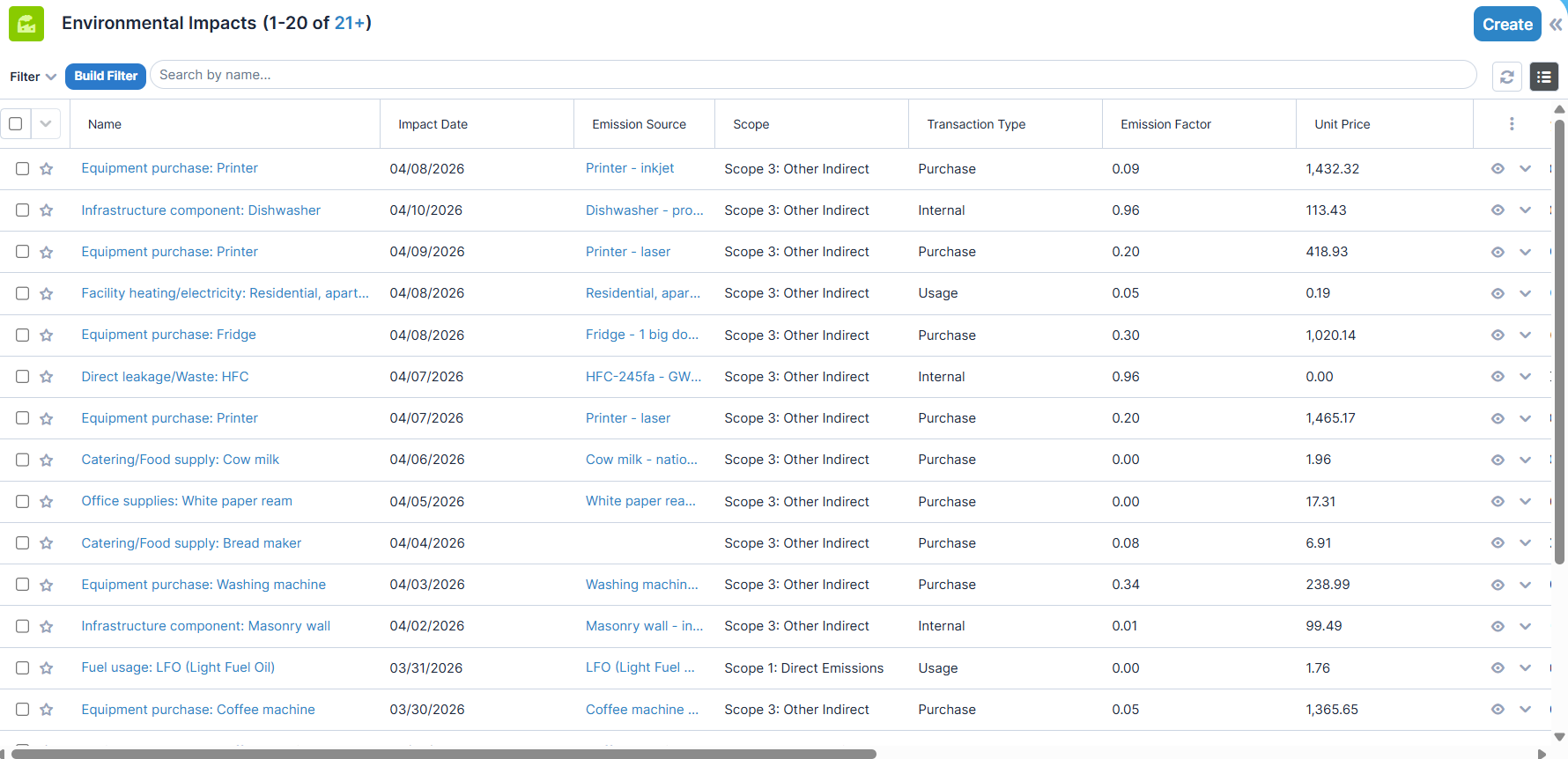
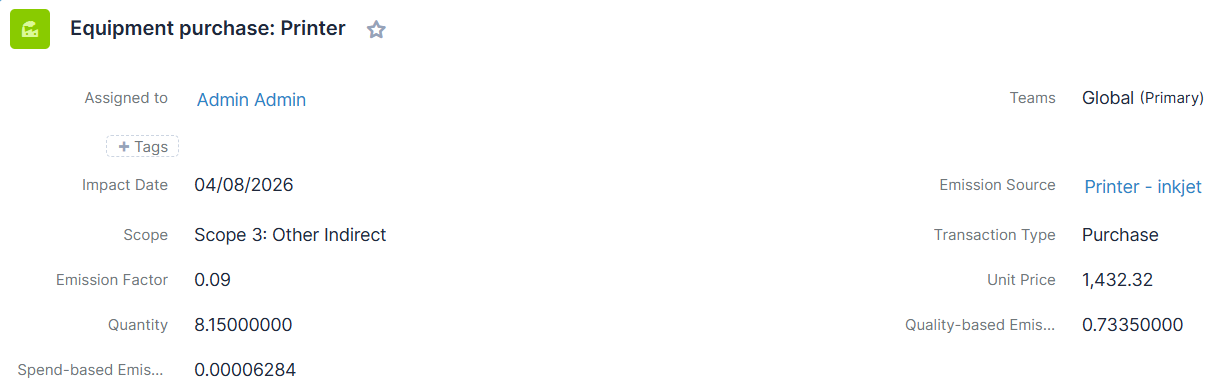
Module-specific data
- Impact Date
- Emission Source - The related Emission Source entity
- Scope
- Transaction Type
- Emission Factor
- Unit Price
- Quantity
- Quality-based Emission
- Spend-based Emission
Related modules and relations in subpanels
- Documents (Sugar Core Module)
Appearance
List View
Record View
Stakeholders
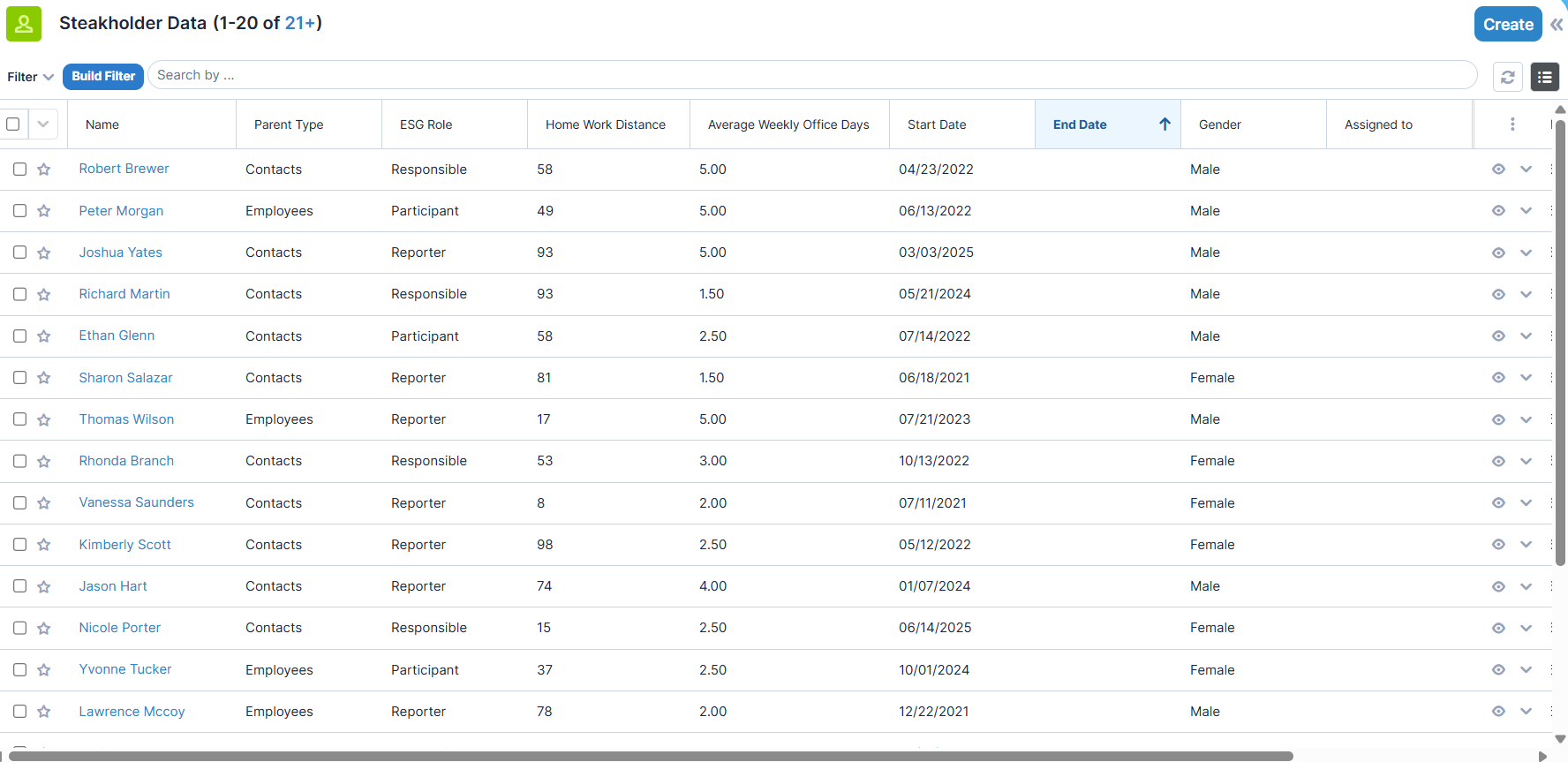
Module-specific data
- Relation Type
- Relation Entity
- ESG Role
- Home Work Distance
- Average Weekly Work Days
- Start Date
- End Date
Related modules and relations in subpanels
- Participant in Training Records
- Driver Assignments
- Employee Environmental Impacts
- Participant In Assessments
Appearance
List View
Record View

Fleet
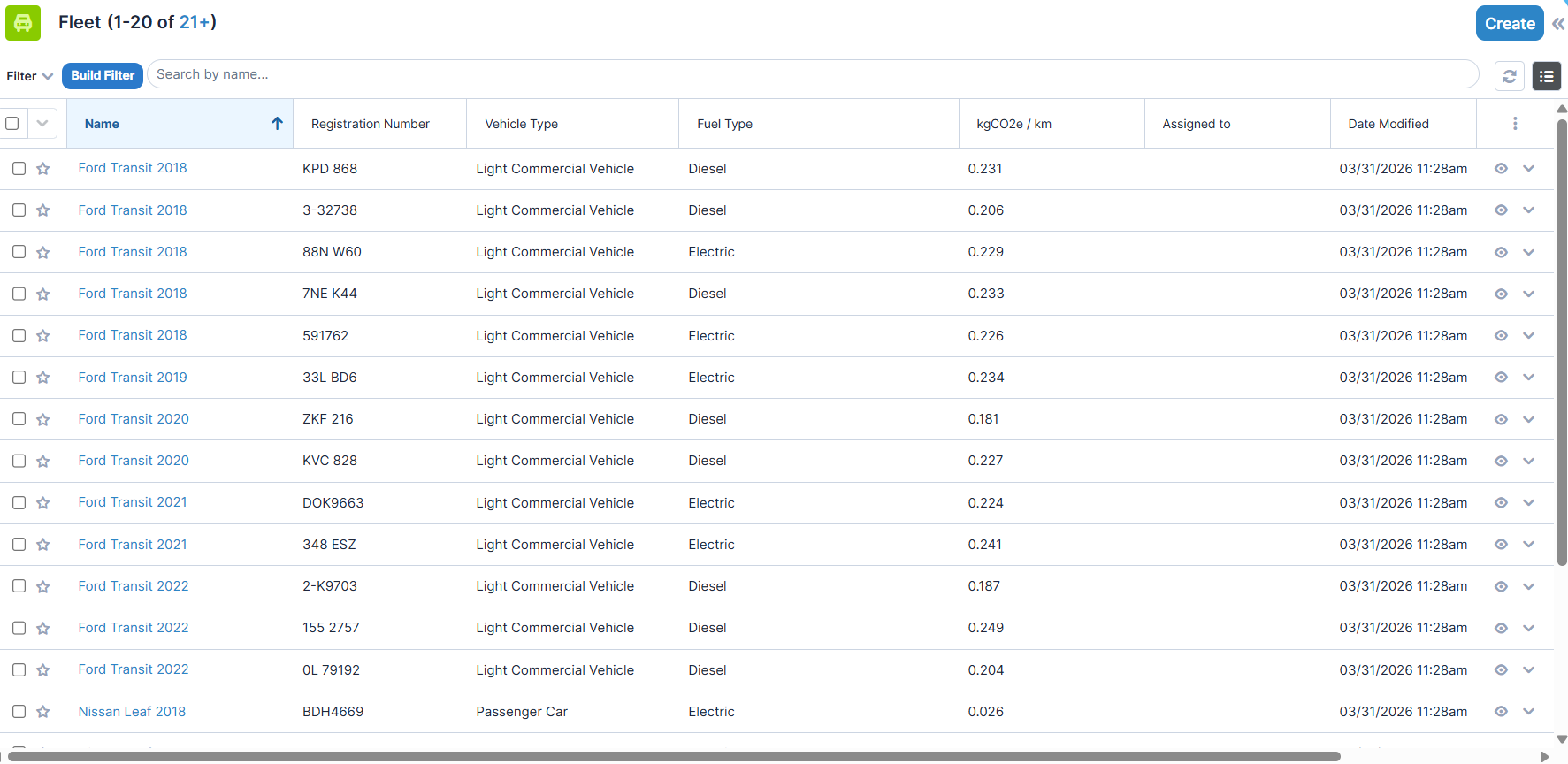
Module-specific data
- Registration Number
- Vehicle Type
- Fuel Type
- kgCO2 / km
Related modules and relations in subpanels
- Driver Assignments
Appearance
List View

Employee Environmental Impacts
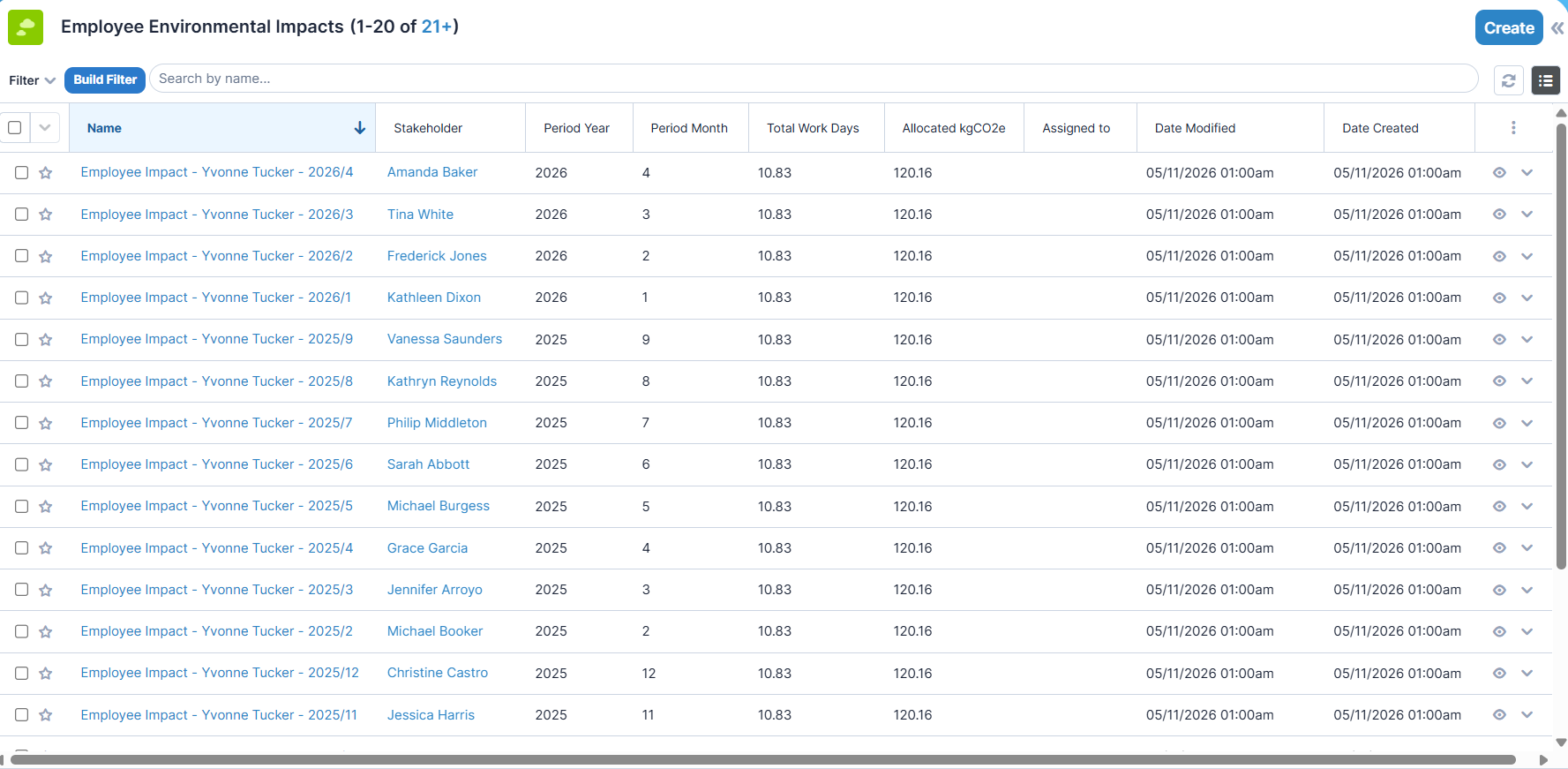
Module-specific data
- Stakeholder - The related Stakeholder entity
- Period Year
- Period Month
- Total Work Days
- Allocated kgCO2
Appearance
List View
Record View
Employee Environmental Impacts Scheduler
Alongside with domain-specific KPIs, sourced from fleet and driver assignment data, the employee impacts are (re)calculated by a Sugar Scheduler Task running on a monthly basis.
Policies
Module-specific data
- Type
- Status
- Effective From
- Effective To
Related modules and relations in subpanels
- Documents (Sugar Core Module)
- Product Templates (Sugar Core Module)
- Incidents
- Training Records
- Assessments
Appearance
List View
Record View
Training Records
Module-specific data
- Domain
- Topic
- Training Date
- Hours
- Mandatory?
Related modules and relations in subpanels
- Participants
- Incidents
- Policies
- Assessments
- Documents (Sugar Core Module)
- Product Templates (Sugar Core Module)
Appearance
List View
Record View

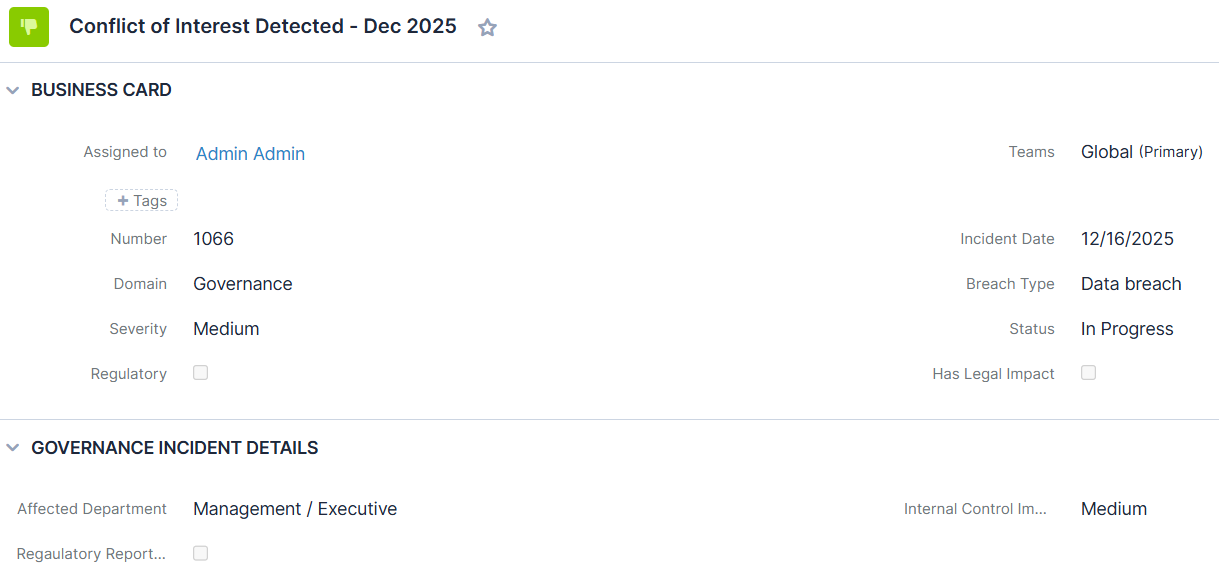
Incidents
Module-specific data
- Incident Number
- Incident Date
- Domain
- Breach Type
- Severity
- Status
- Regulatory?
- Has Legal Impact?
Social Incident-specific Data
- Affected Group
- Anonymous?
Governance Incident-specific Data
- Affected Department
- Internal Control Impact
- Regulatory Reporting Required
Related modules and relations in subpanels
- Policies
- Training Records
- CAPA Actions
- Assessments
- Documents (Sugar Core Module)
Appearance
List View
Record View
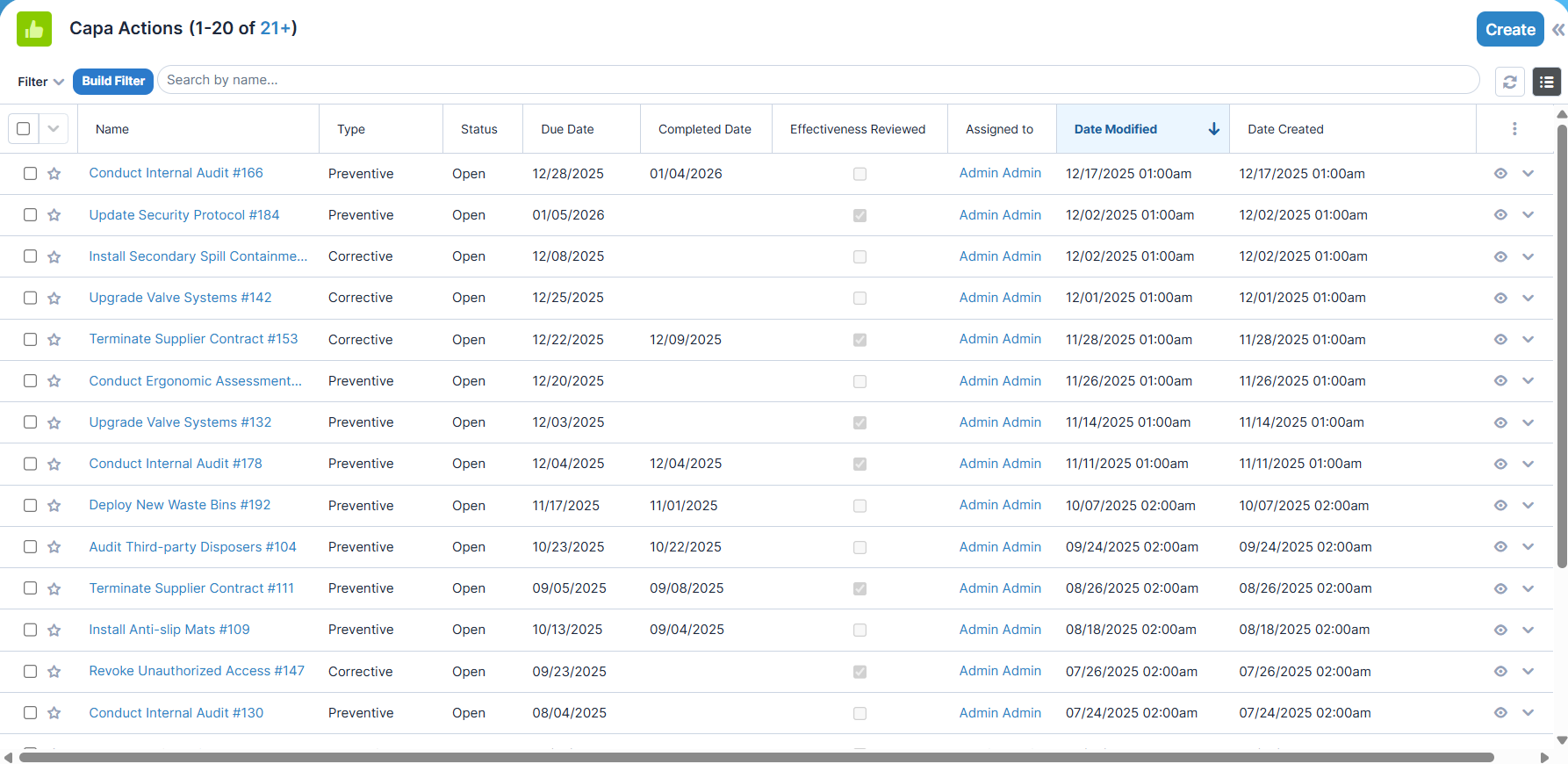
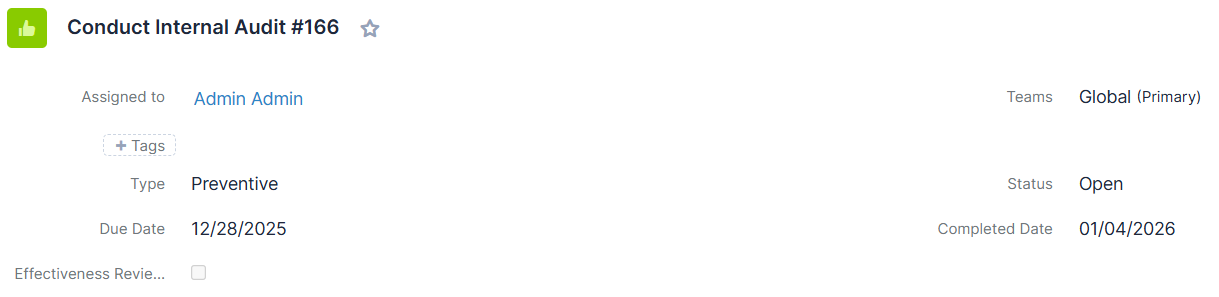
CAPA Actions
Module-specific data
- Type
- Status
- Due Date
- Completed Date
Related modules and relations in subpanels
- Tasks (Sugar Core Module)
- Documents (Sugar Core Module)
- Incidents
- Assessments
Appearance
List View
Record View
Assessment-related Modules
This group of modules consist of three components:
- Assessment Queries (Assessments)
- Assessment Questions: the questions related to the queries
- Assessment Answers: the anserts related to the questions of the queries
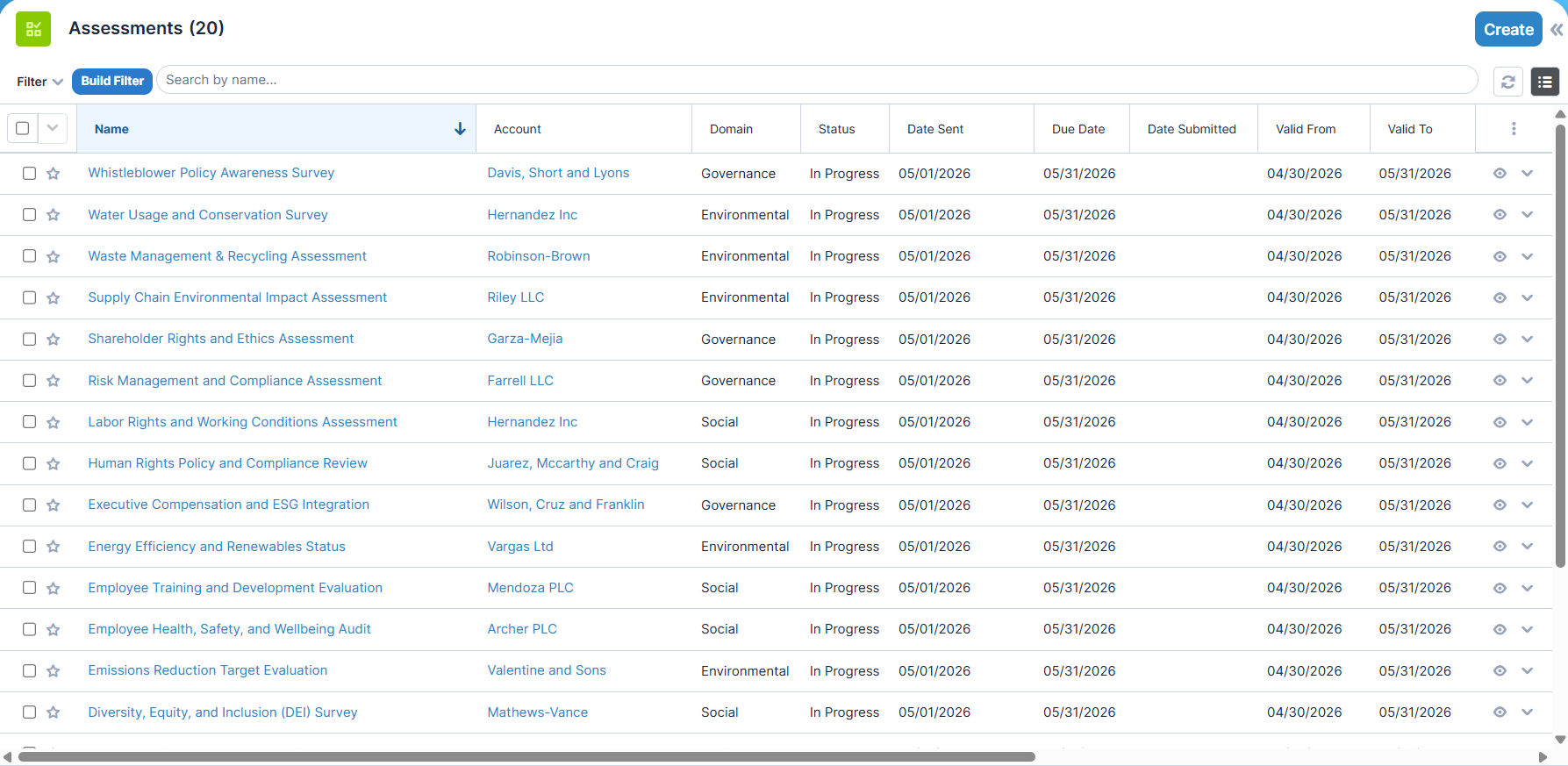
Assessment Queries (Assessments)
Module-specific data
- Account - The related Account entity
- Domain
- Status
- Date Sent
- Due Date
- Date Submitted
- Valid From
- Valid To
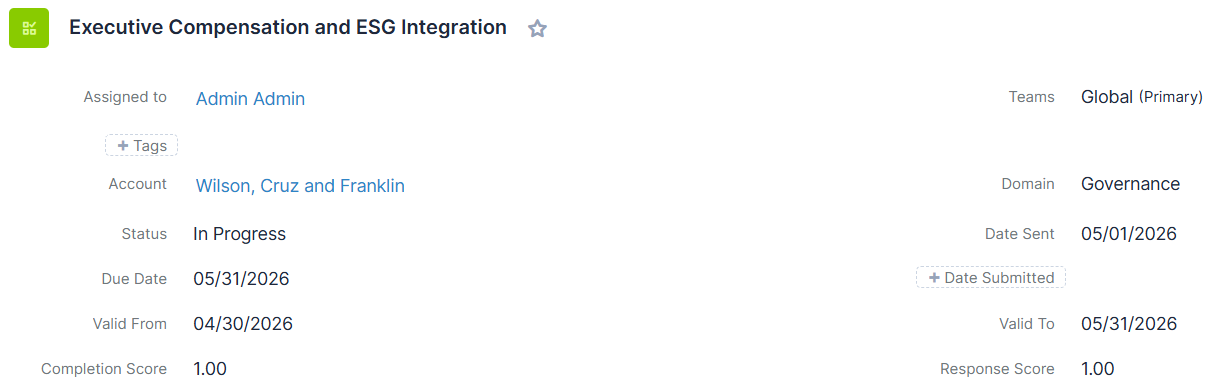
- Completion Score
- Response Score
The Completion Score and Response Score fields are two metrics associated with questionnaires which evaluate questionnaire completion from two different perspectives.
The first metric is the Response Score. It is based on weight values assigned to the questions, which indicate the importance of each question within the questionnaire. The Response Score evaluates completion not only based on the extent of completion but also according to the importance of the answered questions.
The second metric is the Completion Score. This indicates the level of completion of the questionnaire. If a question within a questionnaire has received at least one response, it is considered answered.
Related modules and relations in subpanels
- Assessment Questions
- Participants
- Documents
- Policies
- Training Records
- CAPA Actions
- Incidents
Appearance
List View
Record View
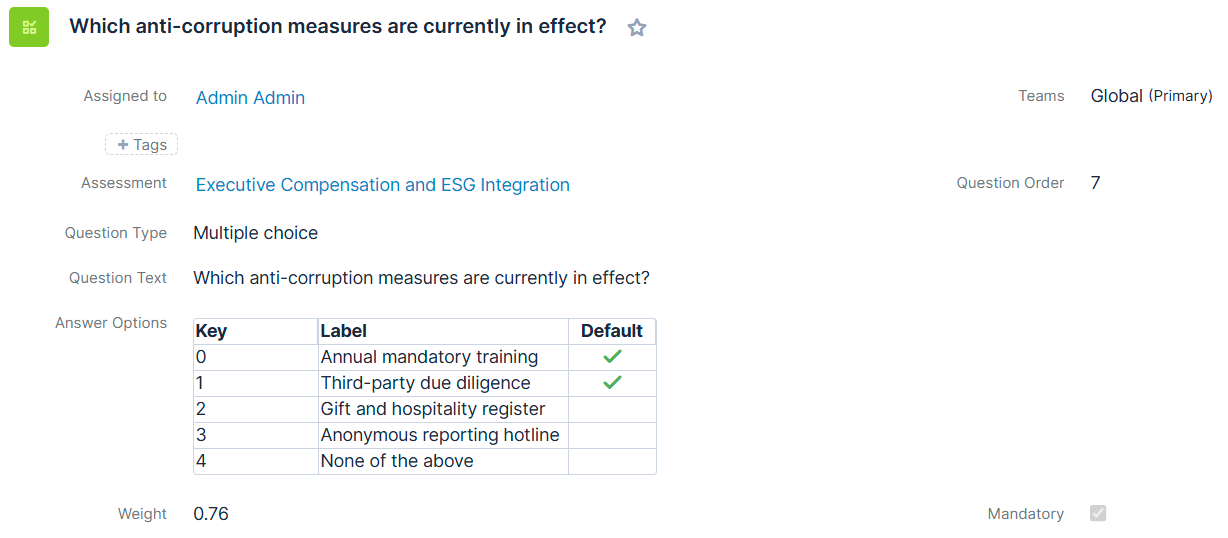
Assessment Questions
Module-specific data
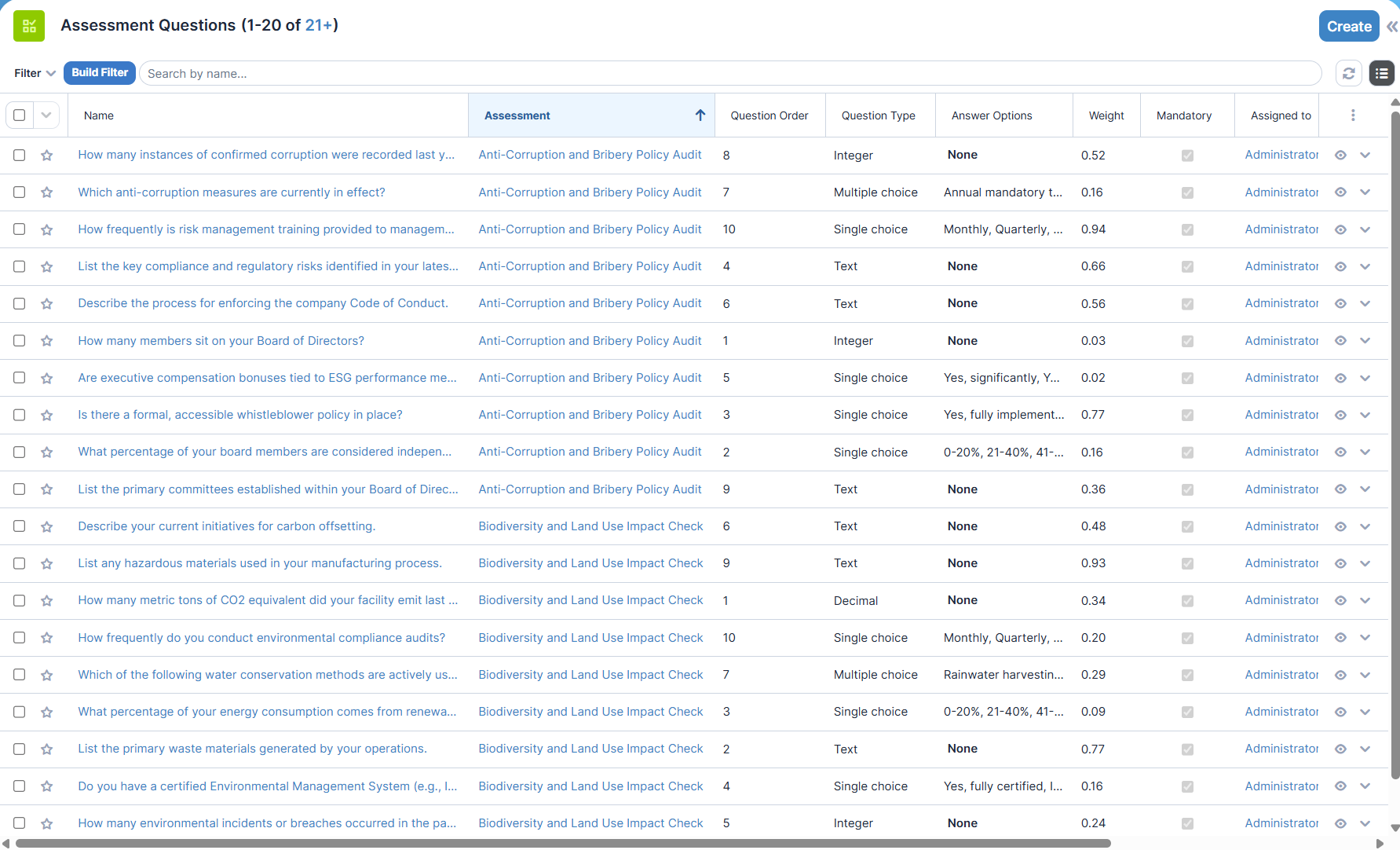
- Assessment - The related Assessment entity
- Question Order
- Question Type
- Question Text
- Answer Options
Regarding to the question type, this field renders itself differently:- Decimal / Integer: input field
- Text: text area
- Boolean: enum key / value pair matrix, strictly limited to 2 answers. Can hold one option for default (or not at all).
- Single Choice: enum key / value pair matrix with desired number of options. Options can also be rearranged. Can hold one option for default (or not at all).
- Multiple Choice: enum key / value pair matrix with desired number of options. Options can also be rearranged. Can hold one or more default options (or not at all).
- Weight
- Mandatory
Related modules and relations in subpanels
- Answers - The answer records related to the actual question.
Appearance
List View
Record View
Assessment Answers
Module-specific data
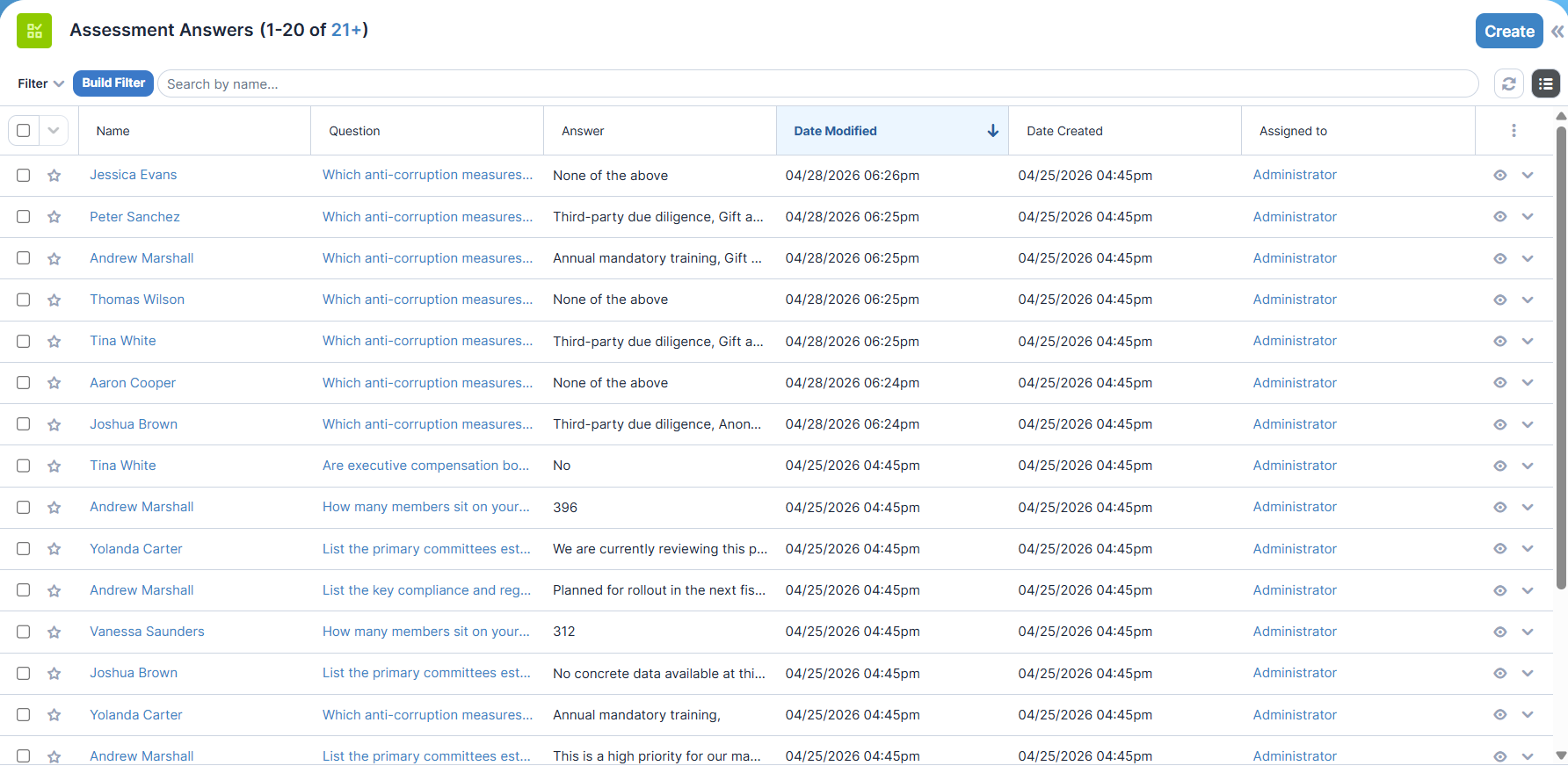
- Question - The related Assessment Question entity
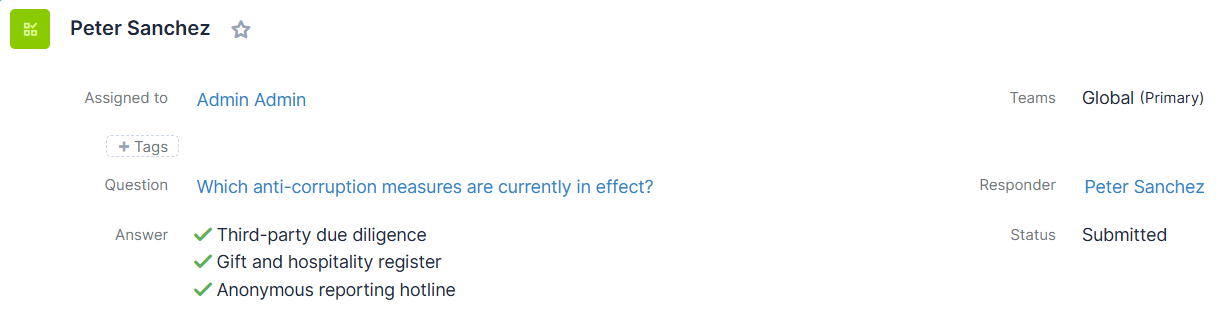
- Responder
- Answer
Regarding to the question type, this field renders itself differently:- Decimal / Integer: input field
- Text: text area
- Boolean / Single Choice: group of radio buttons
- Multiple Choice: group of checkboxes
- Status
Appearance
List View
Record View
Collecting Questionnaire Data Online
By using the custom entrypoint feature from Sugar, questionnaires can be displayed as an interactive HTML form and input from stakeholders can be collected and stored.
To show a questionnaire, use the following link in your communication channels (i.e. e-mails and company websites):
{SUGAR SERVER URL}/index.php?entryPoint=knmEsgAssessmentSurvey&assessment_id={ID OF THE QUESTIONNARY}&stakeholder_id={ID OF THE RESPONDING STAKEHOLDER}
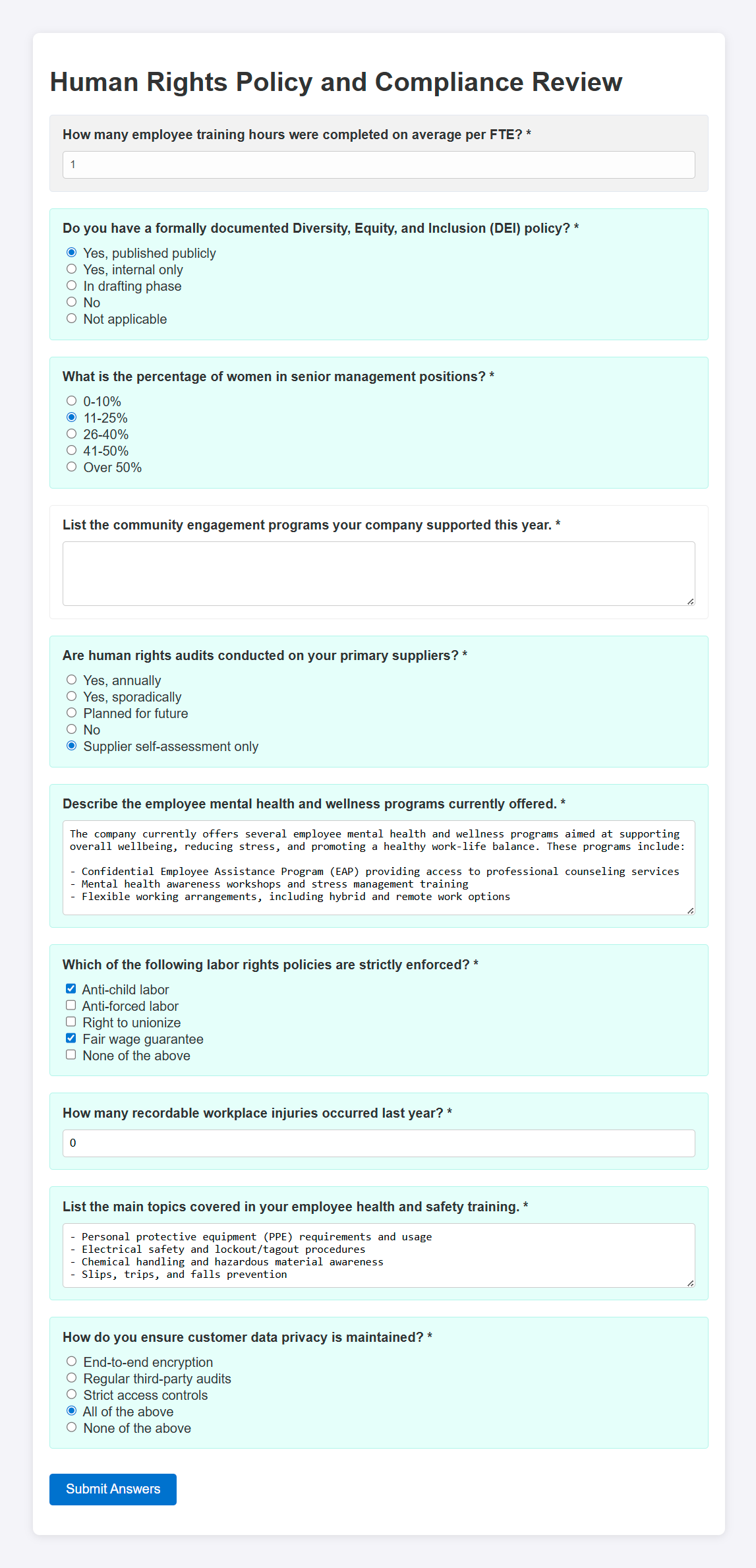
To send the answers to the Sugar Server, click on Submit answers. A "thank you" page appears. The responder can simply close the browser window or go back to the questionnary to review and modify his/her answer.
Already answered questions with a not approved answer and the answer the responder gave appear with GREEN background.
Already answered questions with an approved answer and the answer the responder gave appear with GRAY background.
The questionnary form can be displayed as many times the responder wants to but keep these in mind: - As long as the answer is not yet in "Approved" status, it can be changed at any time. - After the answer's status becomes "Approved", the answer cannot be modified anymore. - As this is a public entrypoint, users can access it without logging in to Sugar.
Creating printable questionnaries
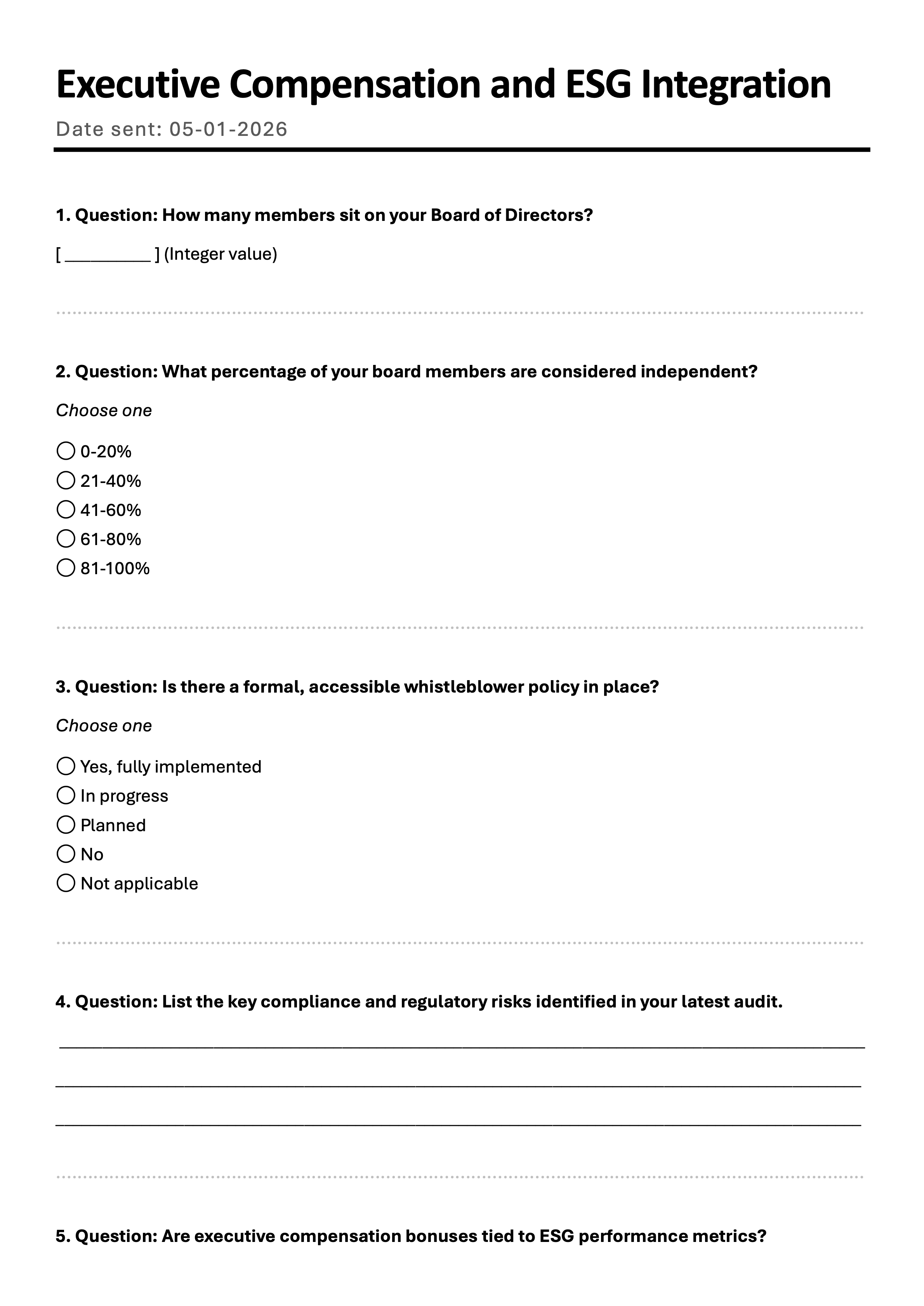
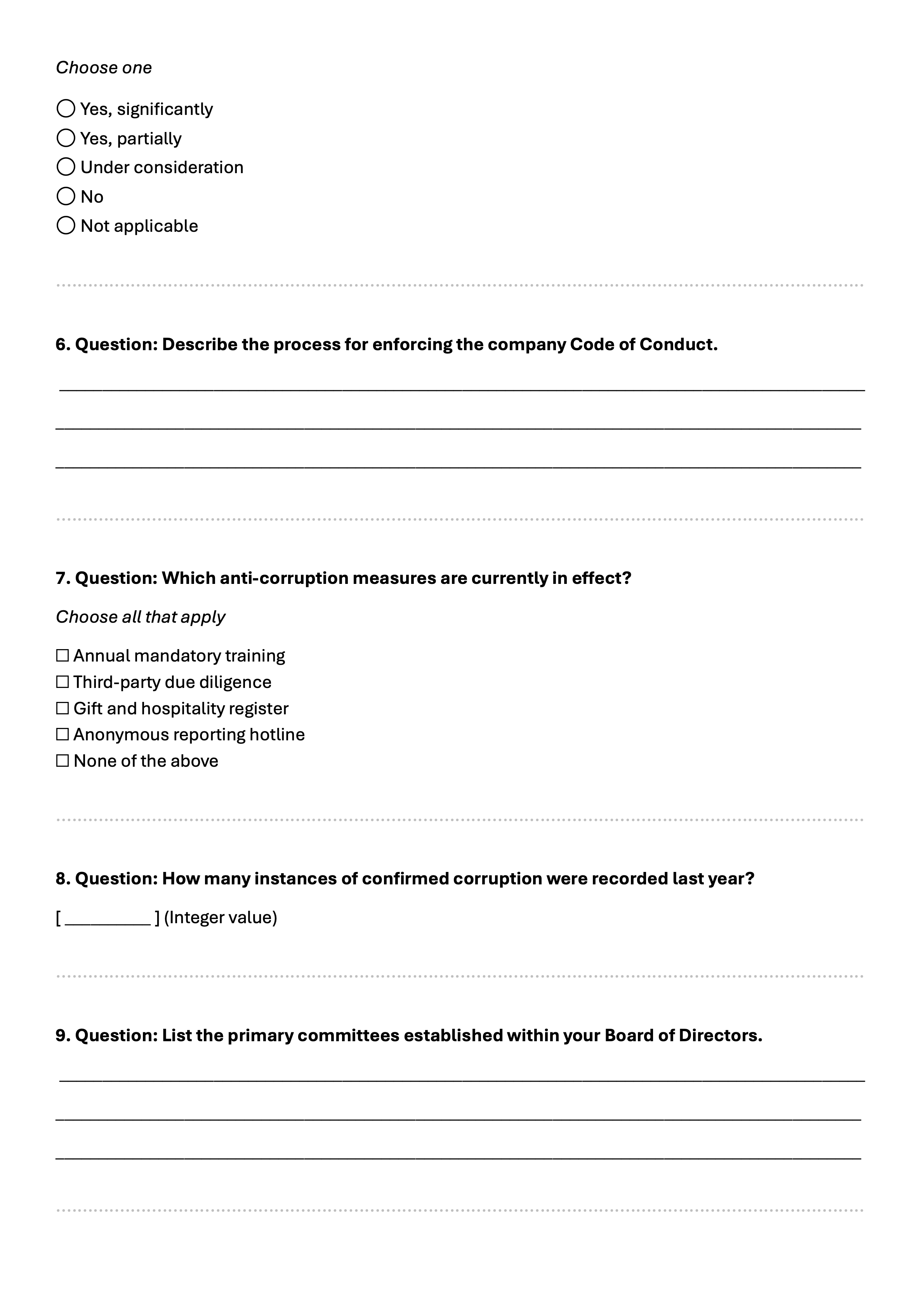
With the aid of Sugar DocMerge, questionnaries can be transoformed into a Microsoft Word or PDF document, allowing to print them or use them digitally (i.e. sending them as an e-mail attachment).
|
|

|
|
To make this work, a Word template is needed. This template is then uploaded to Sugar and used as a DocMerge template. You either can create a Word template by yourself or we can also provide one.
Assessment Score Scheduler
The following fields are recalculated (if necessary) by a Sugar Scheduler Task running on a daily basis:
- Response Score
- Completion Score
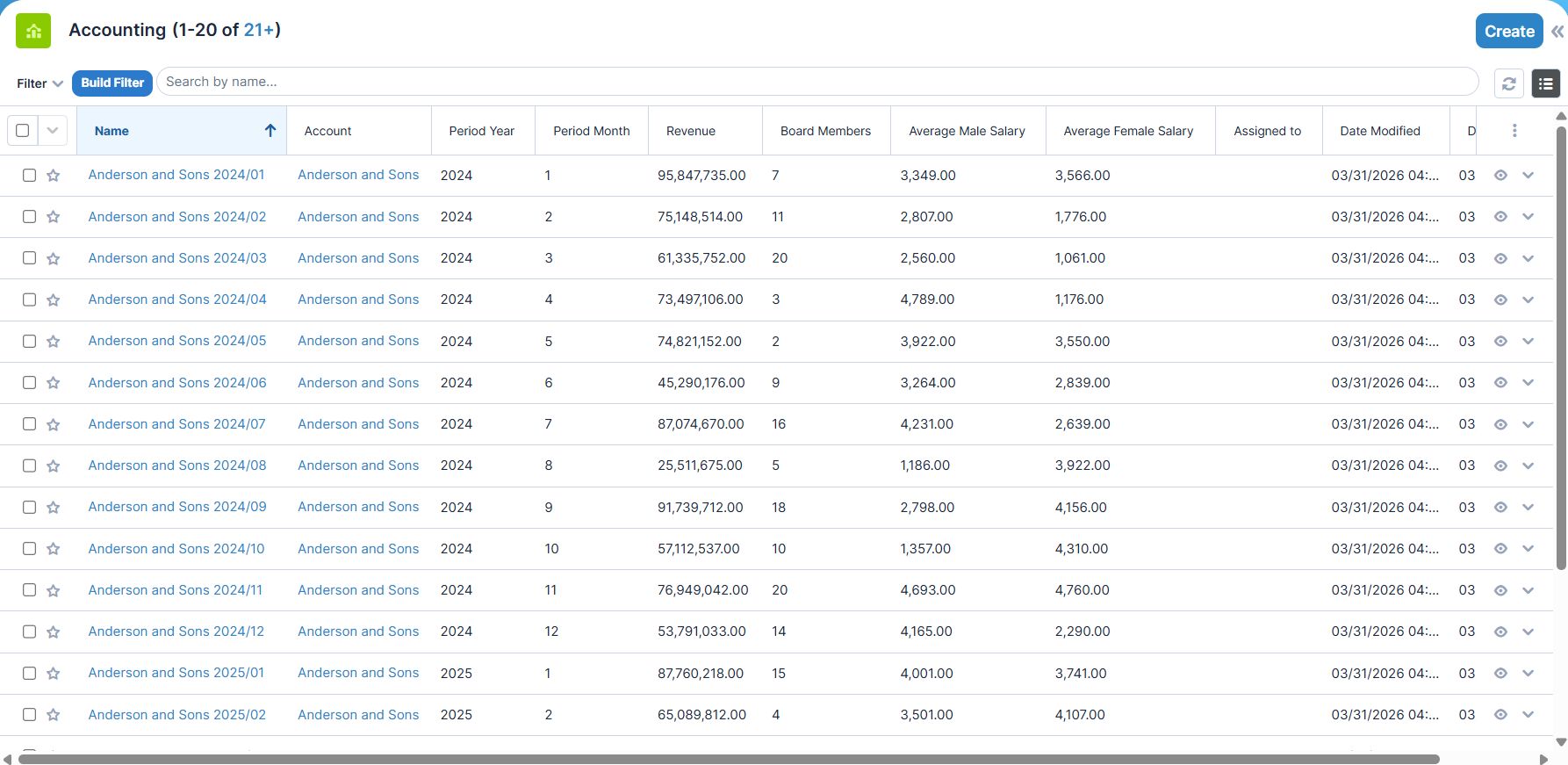
Accounting
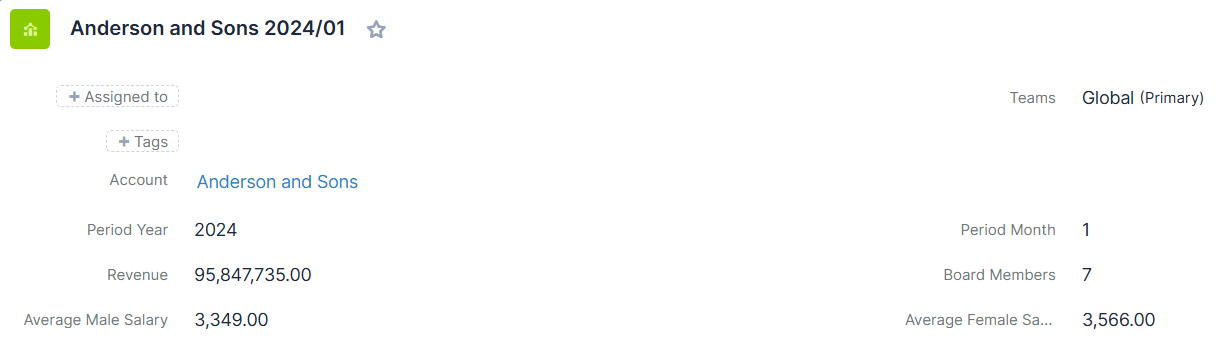
Module-specific data
- Account - the related Account entity
- Period Year
- Period Month
- Revenue
- Board Members
- Average Male Salary
- Average Female Salary
Appearance
List View
Record View
KPIs
Environmental KPIs
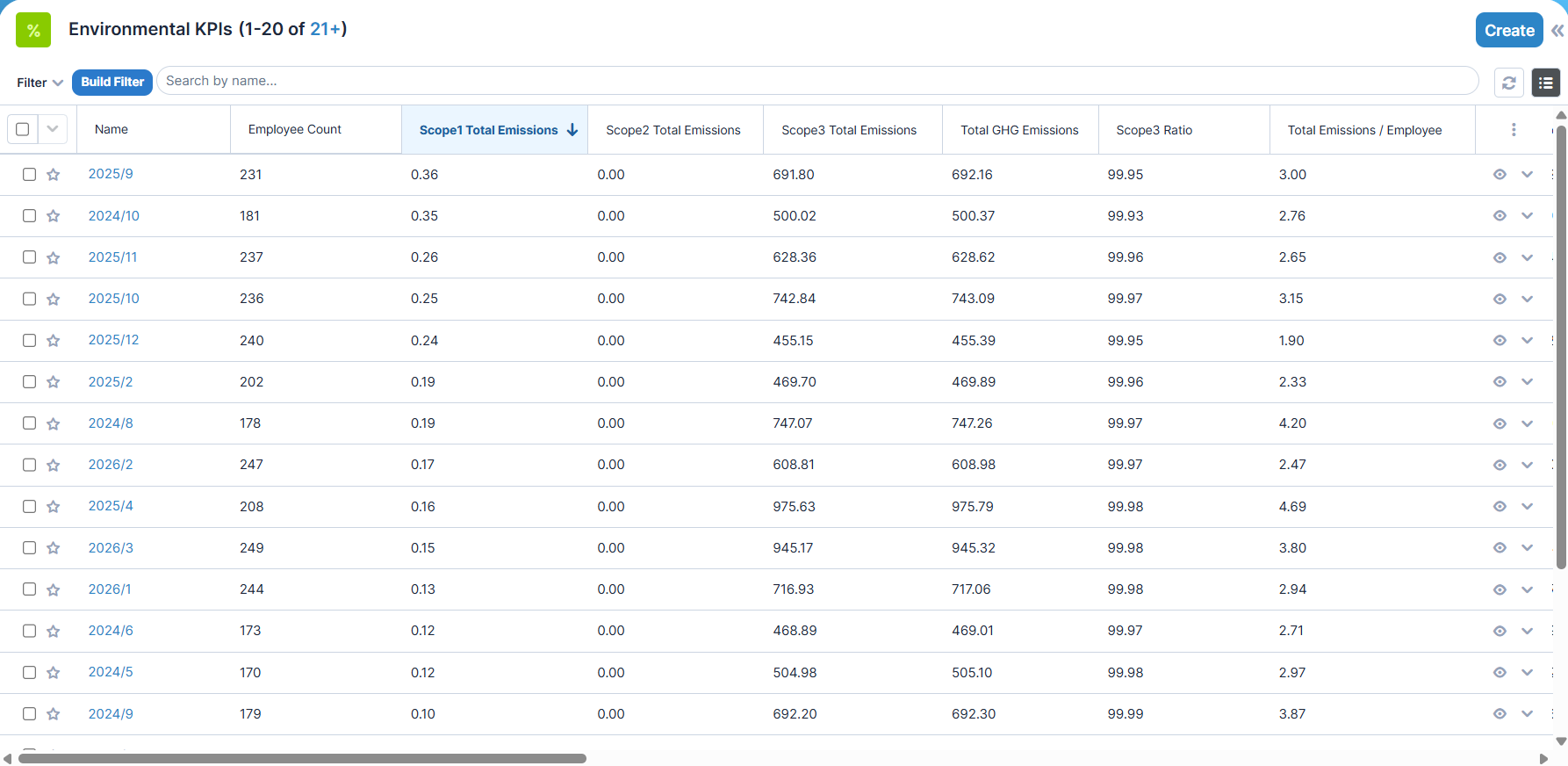
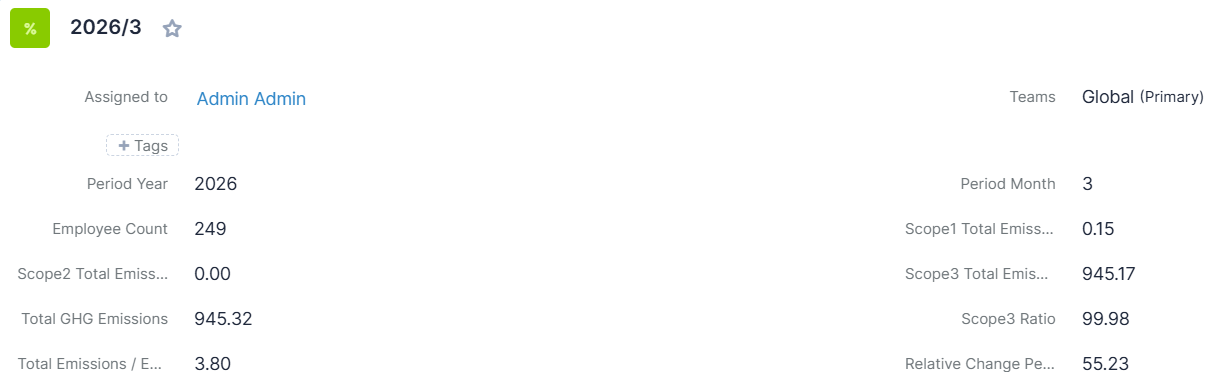
Module-specific data
- Period Year
- Period Month
- Employee Count
- Scope 1 Total Emissions
- Scope 2 Total Emissions
- Scope 3 Total Emissions
- Total GHG Emissions
- Scope 3 Ratio
- Total Emissions / Employee
- Relative Change Percent
Appearance
List View
Record View
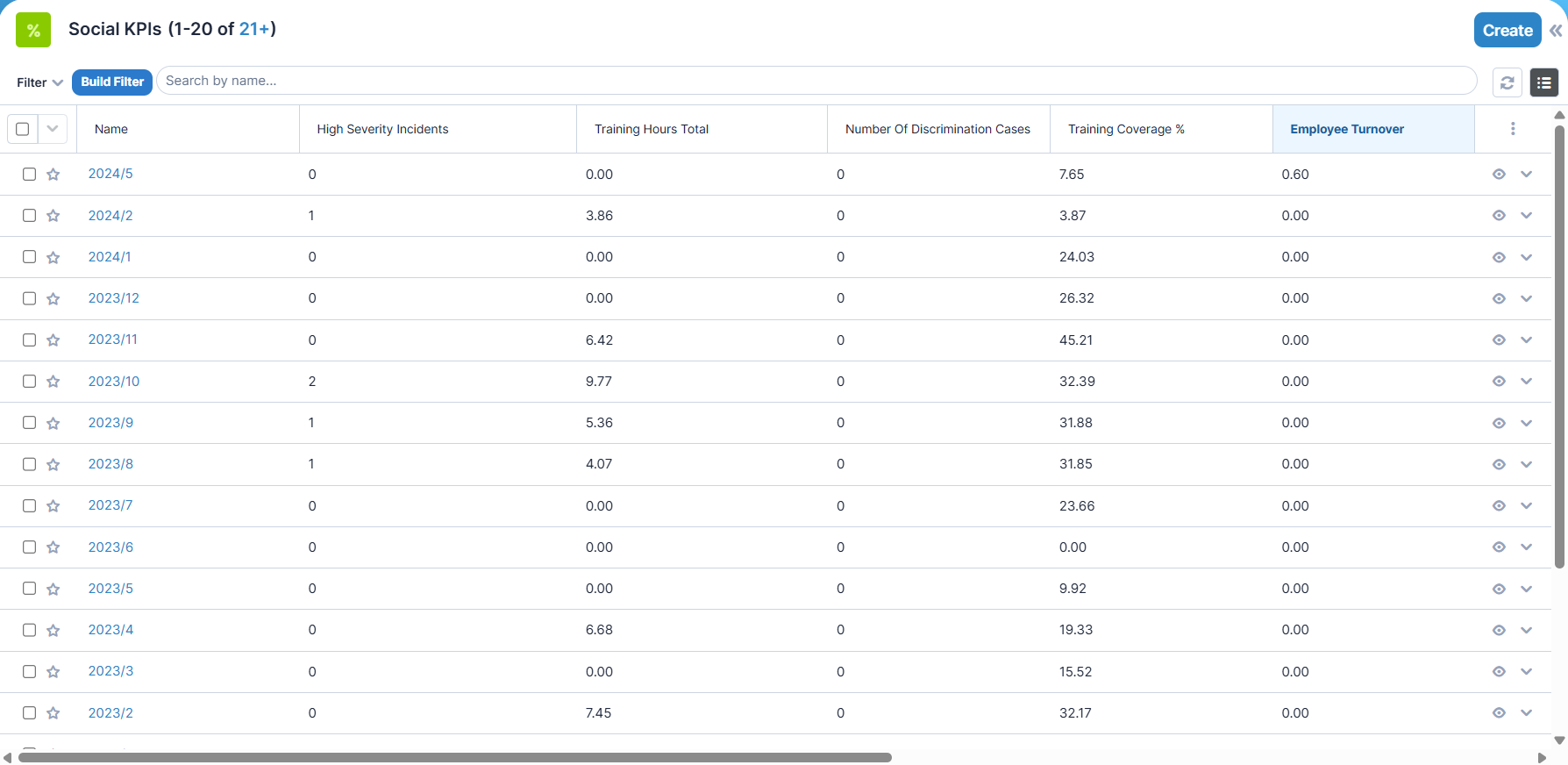
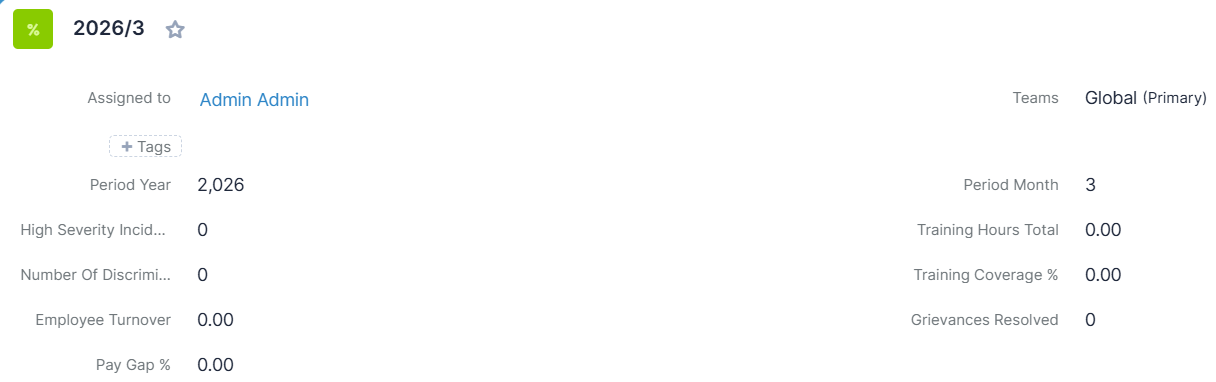
Social KPIs
Module-specific data
- Period Year
- Period Month
- High Severity Incidents
- Training Hours
- Number Of Discrimination Cases
- Training Coverage %
- Employee Turnover
- Grievances Resolved
- Pay Gap %
Appearance
List View
Record View
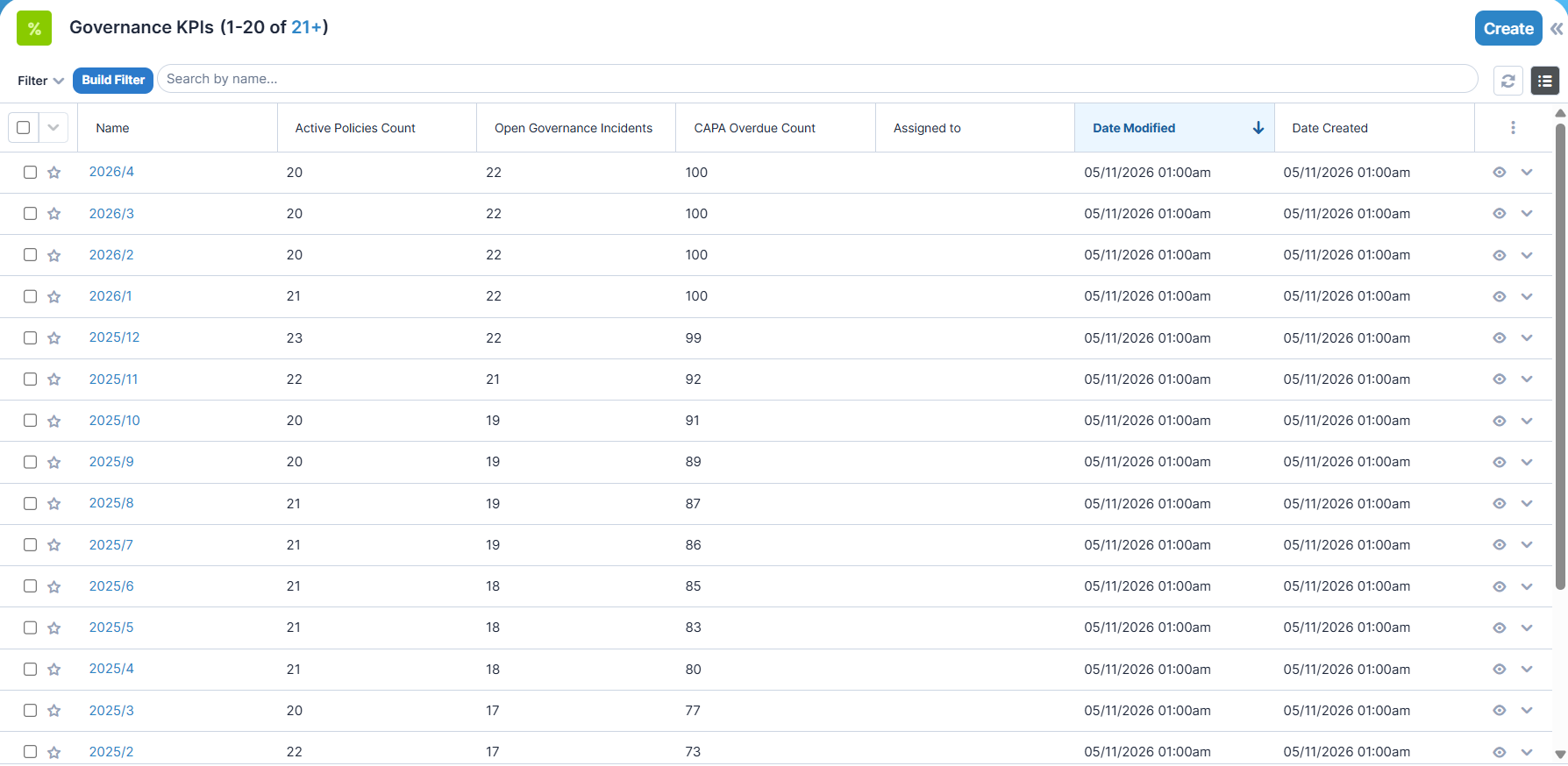
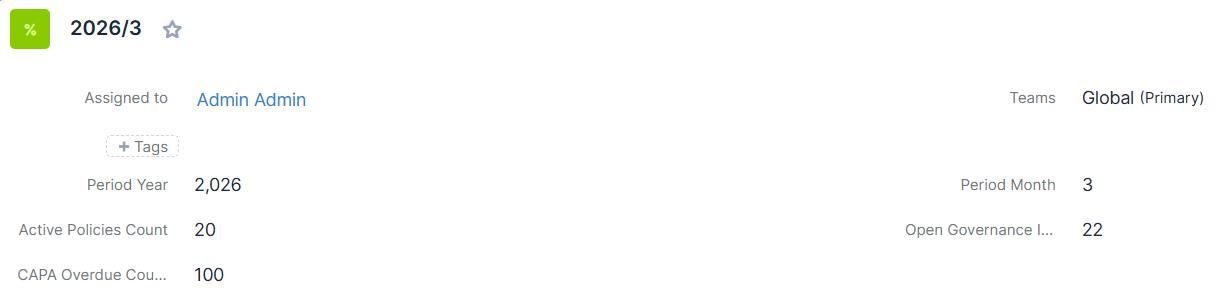
Governance KPIs
Module-specific data
- Period Year
- Period Month
- Active Policies Count
- Open Governance Incidents
- CAPA Overdue Count
Appearance
List View
Record View
KPI Scheduler
Alongside with employee environmental impacts KPIs, the domain-specific KPIs are (re)calculated by a Sugar Scheduler Task running on a monthly basis.
Reports
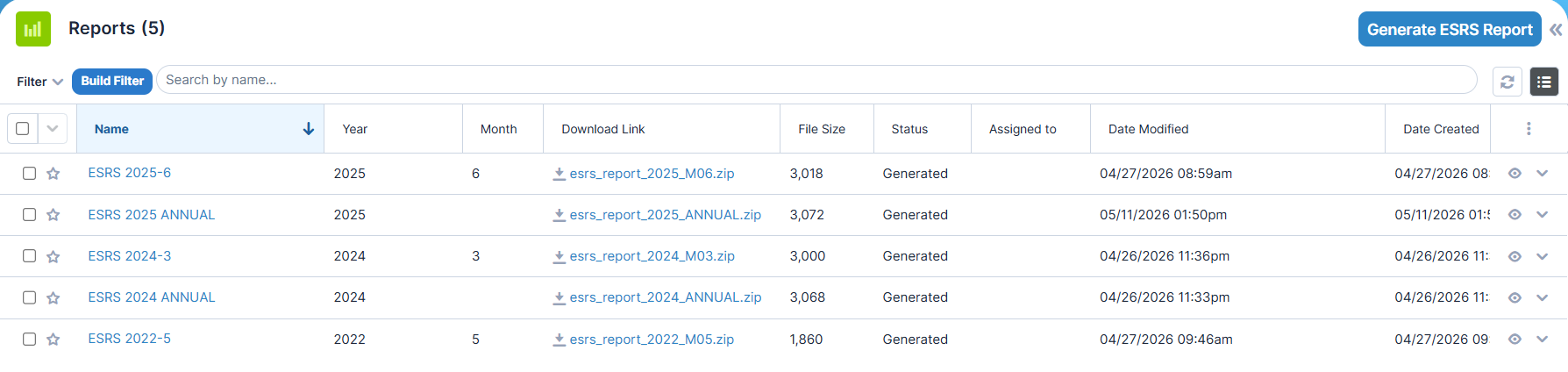
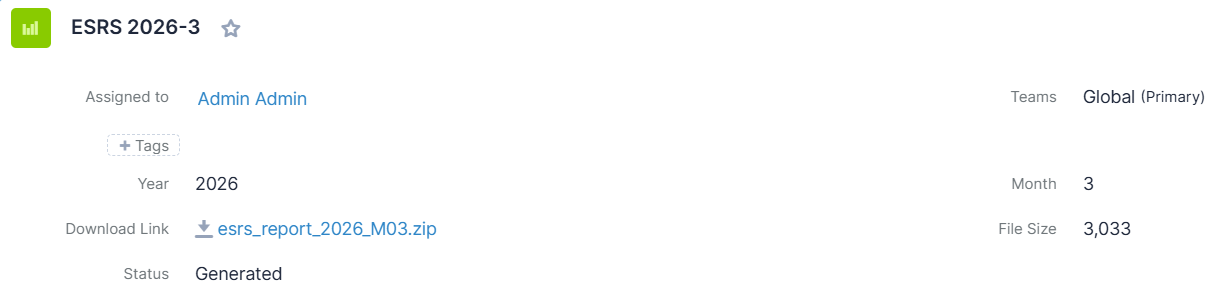
Module-specific data
- Year
- Month
- File Name
- File Size
- Status
Appearance
List View
Record View
Report Scheduler
Downloadable ESRS reports are generated and stored by a Sugar Scheduler Task running on a monthly basis.
Manual Report Generation
Reports also can be generated manually, by giving the period year and (optionally) month. If the month is omitted, an annual report will be generated.

Report File Structure
Reports are generated as an iXBRL (Inline eXtensible Business Reporting Language) sustainability reporting package designed to merge human-readable content with machine-readable data. The generated reports can be integrated into existing compliance and auditing workflows, helping organizations streamline ESG data management.
After generating, a zip file is created as a convinient download method. The generated files stored on the Sugar server. File creation is cloud-safe so this feature is available on both on-premise and cloud systems.
The zip file contains the following files:
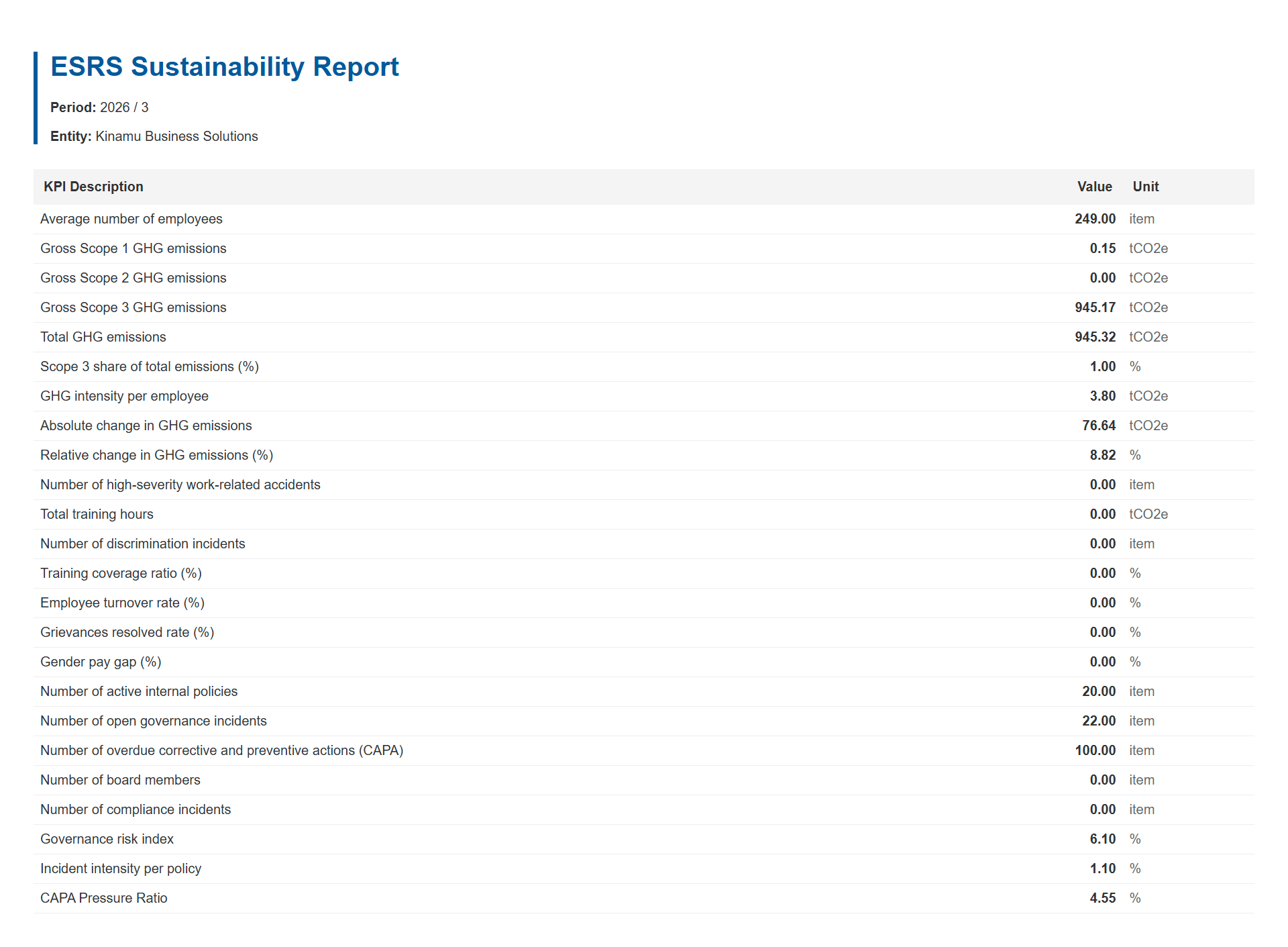
report.xhtml(Main Report): An HTML web page that displays the sustainability metrics in a formatted table for human readers. Beneath the surface, it embeds standardized iXBRL tags () that link the raw numbers to specific reporting concepts, units, and periods for automated data extraction by software.taxonomy/knm-schema.xsd(Taxonomy Schema): An XML schema file that serves as the technical dictionary for the report. It defines custom data elements, their data types (e.g., decimal), and period types that are unique to the organization and not covered by standard frameworks.taxonomy/knm-lab.xml(Label Linkbase): An XBRL relationship file that bridges technical codes with human language. It maps the abstract element IDs from the schema file to clear, readable text labels (such as English descriptions), ensuring external software can display the data with proper titles.
View Human-Readable Report
In addition to machine-readable XBRL processing, the generated report also contains the data in a human-readable format. To view the report in a browser, open the report.xhtml file.
Dashlets
You can choose from 7 built-in dashlets and place them on your dashboards.
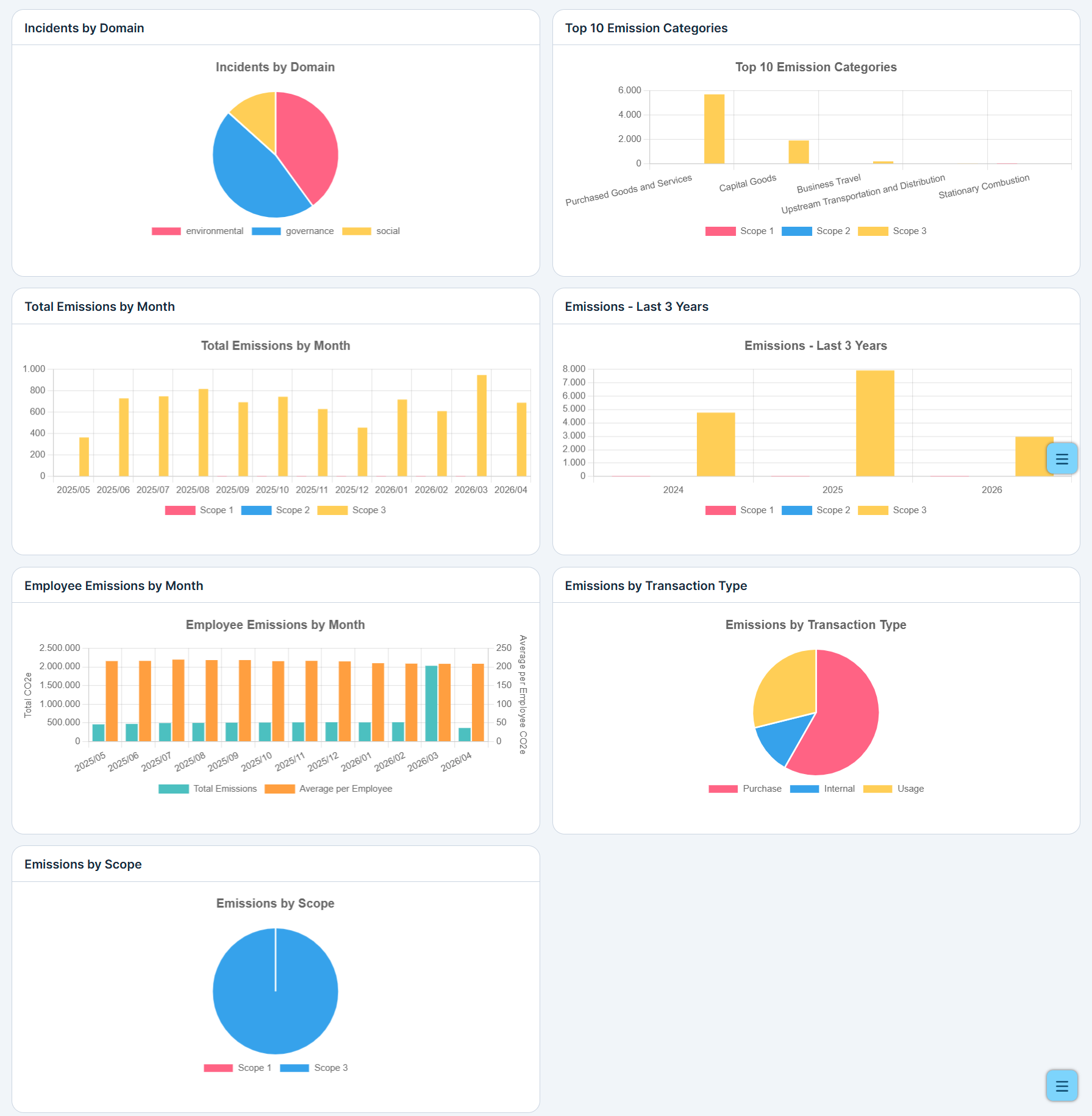
To add an ESG dashlet, follow these instructions:
- Click 'Add Dashlet' on your Dashboard page. A list of dashlets appears.
- Find 'ESG Configurable Chart' from dashlet list and click on it. The ESG dashlet selector page appears.
- From the select list, choose one of the available ESG dashlets:
- Incidents by Domain
- Top 10 Emission Categories
- Total Emissions by Month
- Emissions - Last 3 Years
- Employee Emissions by Month
- Emissions by Scope
- Emissions by Transaction Type
 Saving Comment...

