
Seamlessly connect your SugarAI with Instagram Lead Ads to unify and streamline your lead management process. This integration enables automatic, real-time capture and synchronization of leads directly from Instagram into SugarAI eliminating manual data entry and reducing response time. Empower your sales and marketing teams with instant access to new leads, enriched customer data, and organized follow-ups. Improve lead tracking, boost conversion rates, and ensure no opportunity slips through the cracks. Enhance team collaboration, respond faster to prospects, and make smarter, data-driven decisions all from a single, connected platform.
User Guide
General Concepts
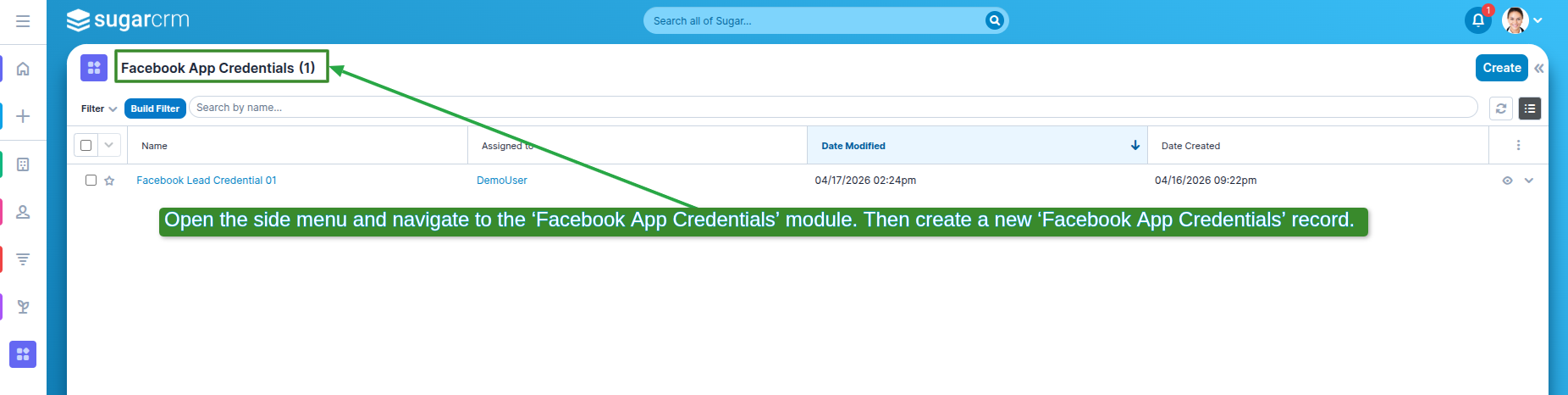
1. Open the side menu and navigate to the 'Facebook App Credentials' module. Then create a new 'Facebook App Credentials' record.
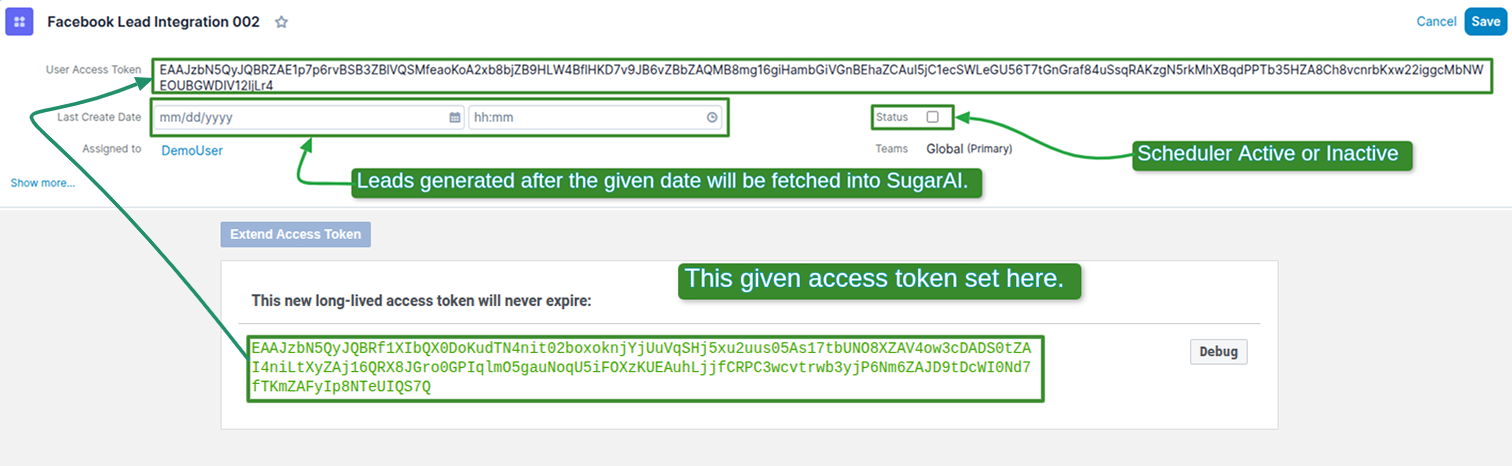
2. Leads generated after the given date will be fetched into SugarAI, Scheduler Active or inactive, this given access token set here.
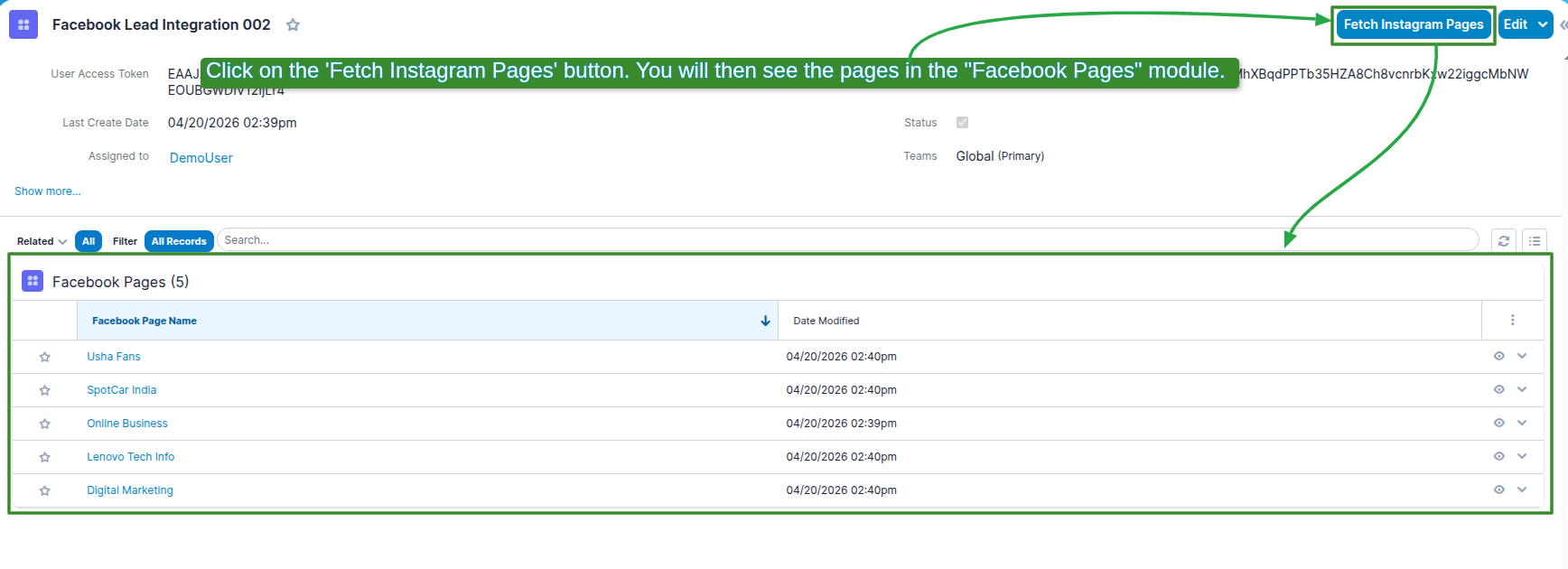
3. Click on the 'Fetch Facebook Pages' button. you will then see the pages in the 'Facebook Pages' module.
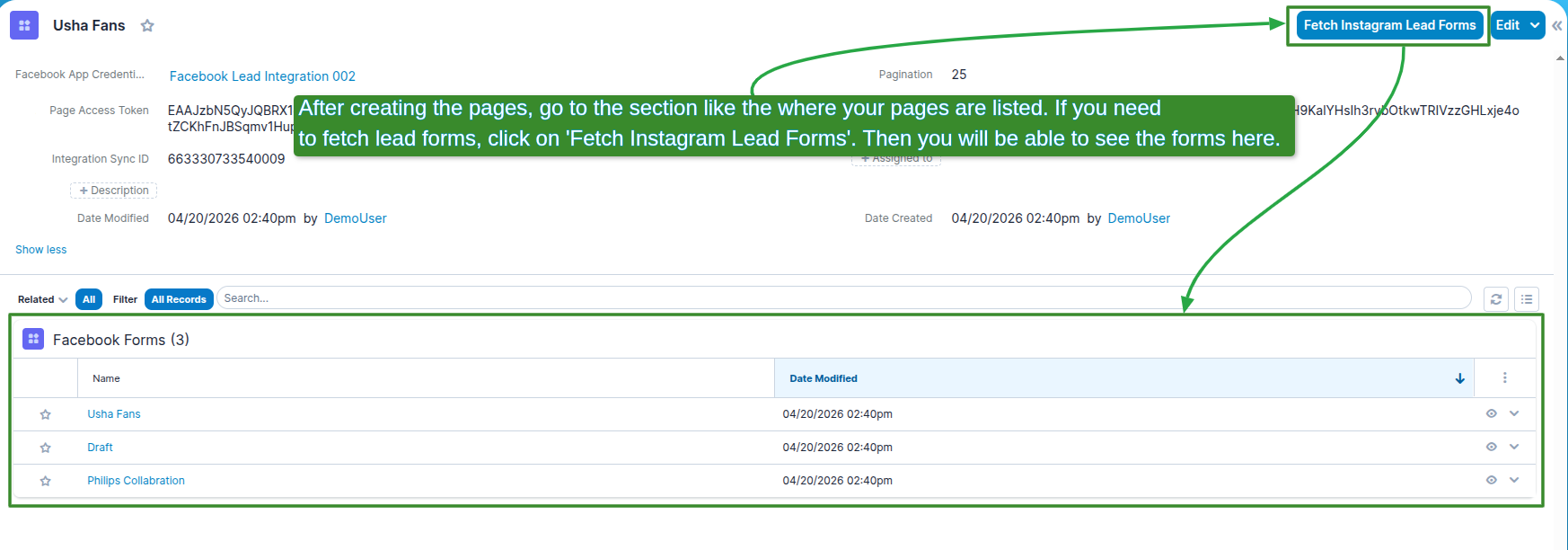
4. After creating the pages, go to the section like the where your pages are listed. If you need to fetch lead forms, click on 'Fetch Lead Forms'. Then you will be able to see the forms here.
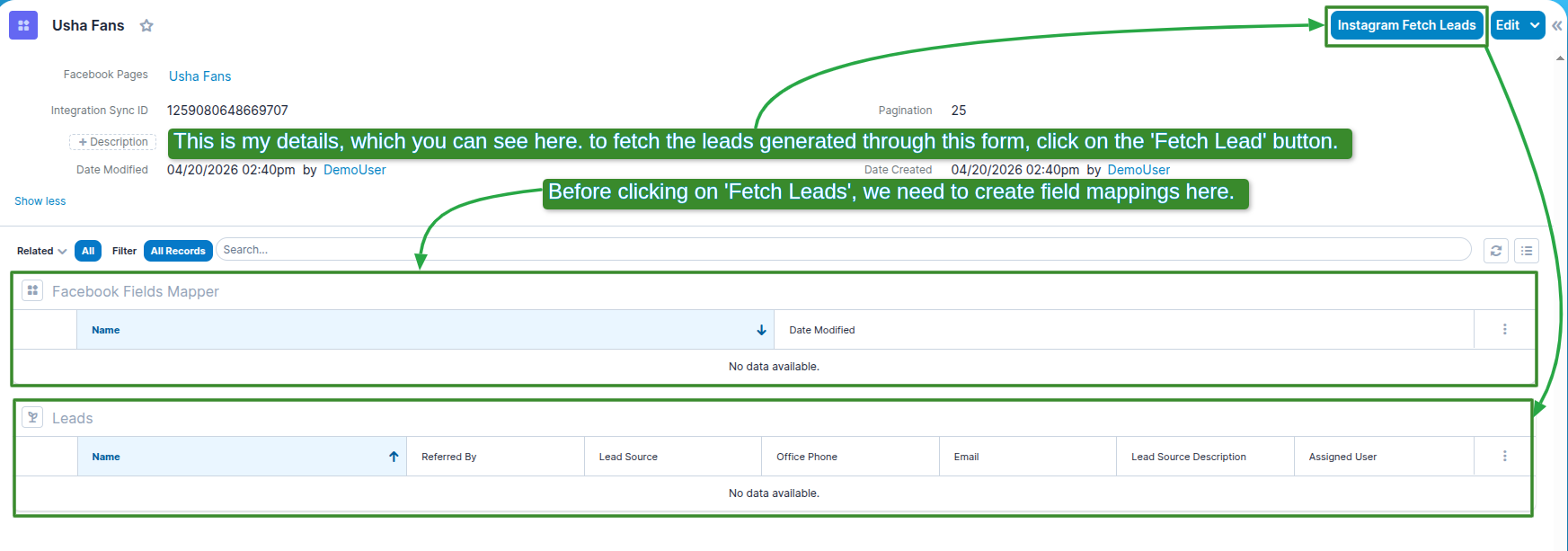
5. This is my details, which you can see here. to fetch the leads generated through this form, click on the 'Fetch Lead' button. Before clicking on 'Fetch Leads', we need to create field mappings here.
 Saving Comment...
