Bridge the gap between Sugar and Optimizely. Synchronise recipient lists, import campaigns and manage opt-ins/opt-outs without leaving your CRM.
The challenge: email marketing data locked outside your CRM
Sales and marketing teams rely on Optimizely Campaign to run email campaigns, yet the resulting engagement data — opens, clicks, unsubscribes — stays trapped in a separate platform. Without a direct connection to Sugar, teams fall back on manual exports, copy-and-paste routines and spreadsheet hand-offs. Customer profiles remain incomplete, follow-ups are delayed, and data privacy compliance becomes harder to enforce.
How the Optimizely integration for Sugar solves it
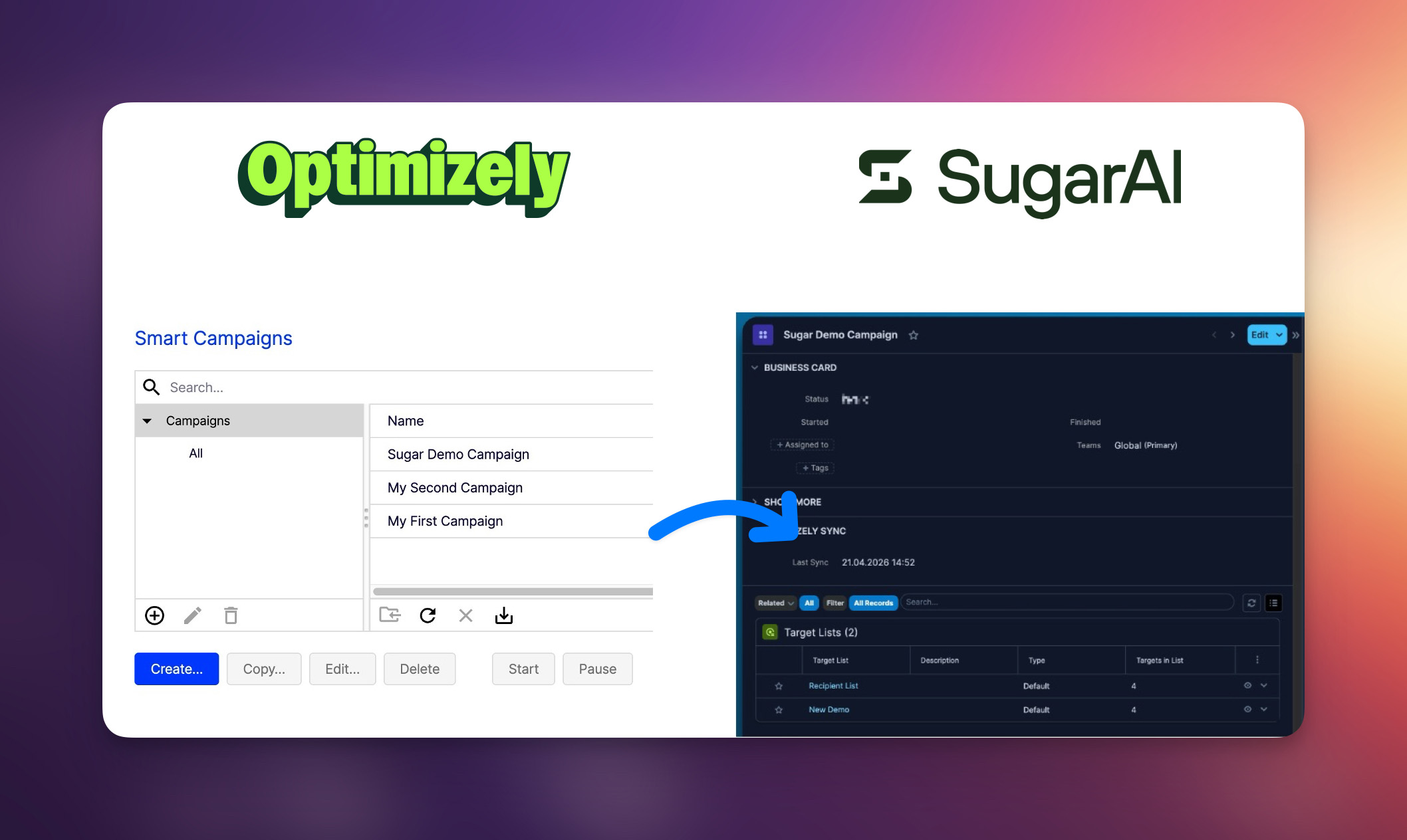
The integration connects your Sugar instance with Optimizely Campaign through a native module package. Once installed, it keeps recipient lists, campaign data, email statistics and opt-out signals in sync — automatically and in real time where it matters most.
Marketing manages campaigns in Optimizely. Sales sees the results — including per-recipient opens, clicks, bounces and unsubscribes — directly on the Contact, Lead or Target record inside Sugar. No platform-switching, no stale data.
Key features
Bidirectional list synchronisation
Sugar Target Lists and Optimizely recipient lists stay linked in both directions. Create a Target List in Sugar and it appears in Optimizely — or import an existing Optimizely list into Sugar. Recipients are matched by email address, and new records are created automatically when needed.
Recipient updates
When a Contact, Lead or Target record changes in Sugar, the update is queued and pushed to Optimizely. Profile data flows from Sugar to Optimizely so your campaigns always address recipients with up-to-date information. Removing a recipient from a synced Target List also removes them from the corresponding list in Optimizely. Deleting a Sugar recipient removes them from every linked Optimizely list.
Optimizely Campaign module
Campaigns are imported from Optimizely into a dedicated Optimizely Campaign module in Sugar. Each campaign record shows the status, sync timestamps, and an Email Statistics panel with aggregate performance metrics: Recipients Total and Net, Opens Total and Unique, Clicks Total and Unique, Hard Bounces, Soft Bounces, and Unsubscribes. Statistics are updated automatically on every scheduled sync run.
Campaign → Mailings → Mailing Events
Each Optimizely Campaign can contain one or more mailings. The integration mirrors this structure in Sugar through related modules. Open a campaign record to see its linked mailings and target lists in the subpanels. Open a mailing to see individual recipient interactions in the Mailing Events subpanel — giving you full drill-down from campaign-level summaries to recipient-level detail.
Mailing Events via webhooks
Mailing events — opens, clicks, bounces, unsubscribes and complaints — are delivered to Sugar via webhooks in near real-time. Each event record shows the recipient email, event type and timestamp. Events are visible on both the mailing record and the Contact, Lead or Target record, so sales and service teams always see the latest engagement data.
Recipient identification fields
When recipients are synced to Optimizely, the integration populates three identification fields on each list entry: sugar_module (Contacts, Leads or Targets), sugar_id (the unique Sugar record ID) and sugar_url (a direct link back to the record in Sugar). These fields are set automatically whenever they exist in the list.
Opt-In process support
Opt-In Processes defined in Optimizely (single opt-in, double opt-in, confirmation templates) are synchronised into Sugar and can be assigned to individual Target Lists. New recipients added to a list automatically go through the selected opt-in flow.
Opt-out handling per target list
When a recipient unsubscribes from a campaign, the opt-out applies to the Target List used by that campaign. An Opt-Out subpanel on the Contact, Lead or Target record gives full visibility into which campaigns and lists triggered each opt-out event. Recipients on other Target Lists are not affected.
Role-based access control
The package installs additional Optimizely modules into Sugar (Optimizely Campaign, Mailings, Mailing Events). Restrict access to these modules through Sugar's standard role management so that only designated marketing users and administrators can view and operate them.
Scheduler-driven background sync
Scheduled jobs handle queue processing, campaign auto-import, statistics updates, opt-out synchronisation and log cleanup. The sync frequency is adjustable to match your operational needs. Webhook endpoints for mailing events are registered automatically during installation.
How it works
Installation
- Install the module package via Admin → Module Loader and run Quick Repair and Rebuild.
- Connect Sugar to your Optimizely Campaign tenant in the Sugar admin panel.
- Import existing Optimizely recipient lists or enable synchronisation on Sugar Target Lists (-> watch above video).
- Create and run a Campaign in Optimizely and import it back to Sugar (-> watch above video).
- Verify that webhook endpoints are registered under Admin → Optimizely Set-up. If mailing events are not arriving, use the "Repair Activities & Webhooks" button to re-register them.
Who benefits
- Marketing teams manage target lists, evaluate campaign performance and track email engagement metrics — all without leaving Sugar.
- Sales teams see which emails a contact received, whether they opened or clicked, and when — right on the record.
- Service teams check opt-out history and recent mailing events before reaching out to a customer.
- Administrators control access, monitor the sync queue, configure scheduler intervals and manage webhook endpoints.
Compatibility
- Sugar Sell Advanced or higher
- Sugar Enterprise (compatibility check with specific on-premise configuration required)
Documentation
Check out the Documentation
Free consultation
Please get in touch with us for a free consultation and a demo. We can also help you set up a trial, so you can be sure the tool works properly from the start.
About MyCRM GmbH
MyCRM is a solution consultancy and add-on developer who has a long standing reseller relationship with SugarAI. Contact us to discover our solutions and add-ons for Sugar.