

HubSpot For SugarAI keeps your SugarAI Contacts, Leads and Accounts in sync with HubSpot contacts and companies, in one direction or both. Records sync in real time or on a schedule, with field mapping you control and no duplicates.
Introduction
Keep SugarAI and HubSpot in step without manual exports. HubSpot Integration for SugarAI syncs your Contacts, Leads and Accounts with HubSpot contacts and companies. It works one way or both ways, in real time or on a schedule, using field mapping you control.
Overview Video
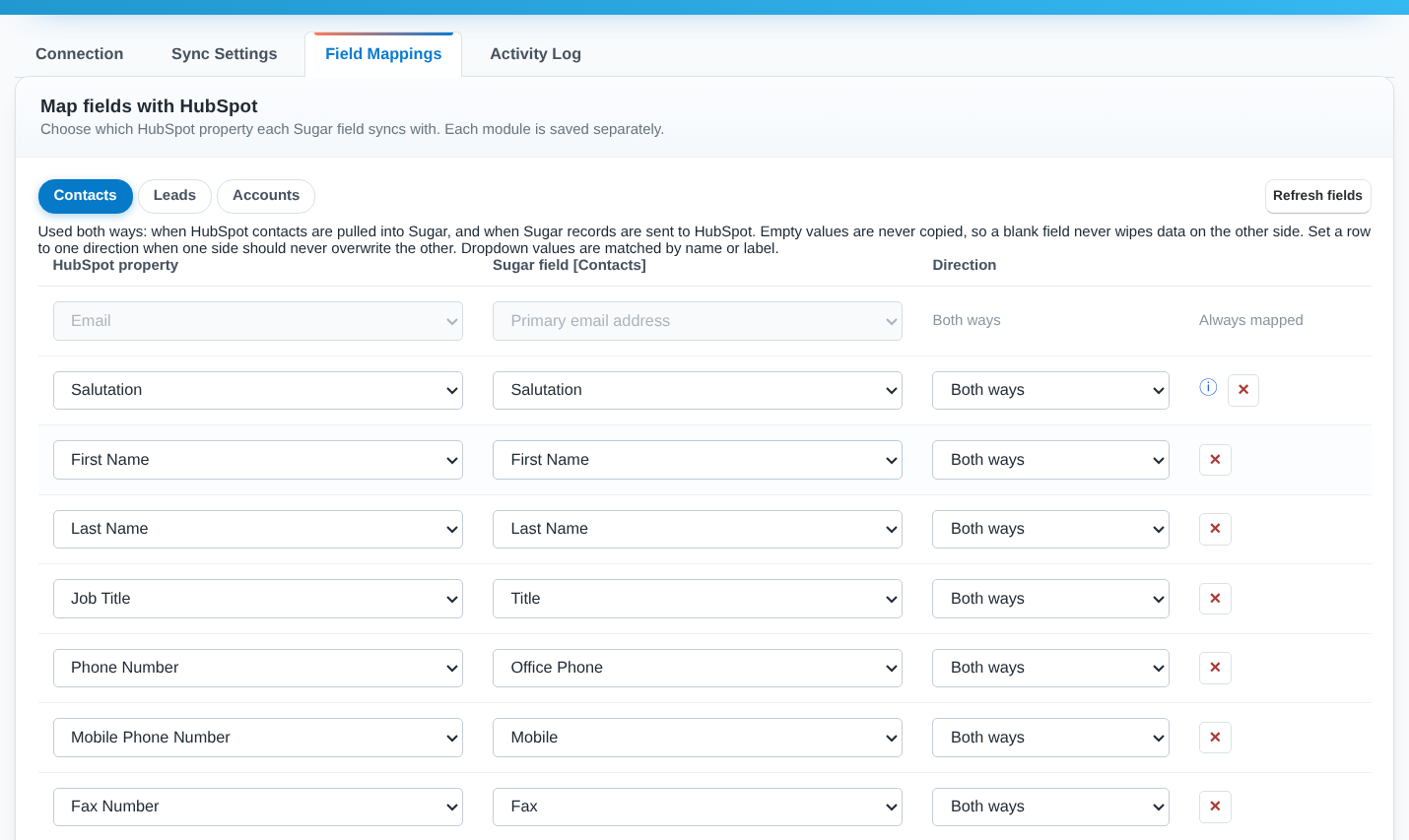
HubSpot Mapping
Pair any HubSpot property with any Sugar field, separately for Contacts, Leads and Accounts. Each field can sync both ways, or one way only so one system stays the master.
HubSpot Syncing
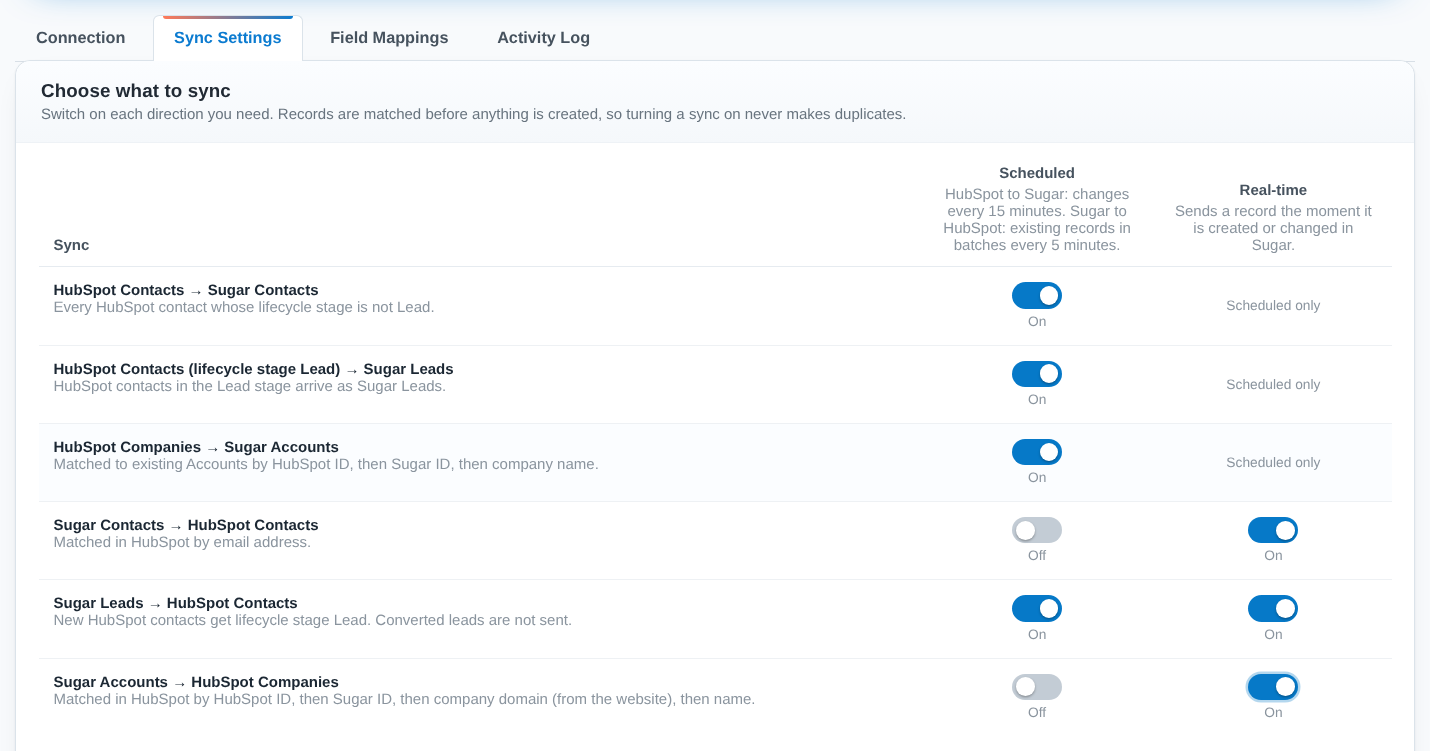
Switch each direction on or off per module. Sugar records reach HubSpot the moment they're saved, or in batches every 5 minutes. HubSpot changes arrive in Sugar every 15 minutes, or immediately with Run sync now.
User Guide
Prerequisites
- A HubSpot account (any tier) with a private app access token
- SugarAI 8 to 14, 25 or 26: Professional, Corporate, Enterprise or Ultimate
- Sugar's scheduler (cron) running
Features
- Two-way sync: Sugar Contacts, Leads and Accounts with HubSpot Contacts and Companies
- HubSpot contacts in the Lead lifecycle stage arrive as Sugar Leads; all others as Contacts
- Real-time sync when a record is saved, plus scheduled background sync
- Field mapping per module, both ways or one way
- Records matched by HubSpot ID, Sugar ID, email or company domain, so no duplicates
- Empty values never overwrite existing data
- Plain-language Activity Log of every record sent, received, skipped or failed
- Automatic retries when HubSpot is briefly unavailable
- Simple setup: paste a token, test the connection, choose what syncs
Version Support
- SugarCloud (on demand)
- Sugar on-premise, versions 8 to 14, 25 and 26
For More Info : Click Here Partner Info